



Artificial intelligence (AI) is changing the way we browse the internet. Traditional browsers rely on user input and settings to personalize content and improve performance. However, AI browsers use artificial intelligence to make these tasks smarter and more efficient while improving the user experience.
Benefits of AI browser
AI browsers have the potential to improve the user’s web browsing experience in several ways. Here are some of their potential benefits:
- Content personalization: AI browsers can use data about user behaviour in the browser to personalize the content they are shown. This could mean recommending articles that interest them or showing them ads that are relevant to their interests.
- Improved performance: AI browsers can use AI to optimize performance in a variety of ways. For example, they can use AI to predict which websites a user is likely to visit next and preload them in the background. This can help websites load faster when a user clicks on them. AI browsers can also use artificial intelligence to reduce battery consumption by optimizing the way they manage resources.
- Simplified usability: AI browsers can use AI to simplify usability in a variety of ways. For example, they can use AI to auto-fill forms or design web pages that are easy to read. They can also use it to translate web pages into the user’s preferred language.
- Increased productivity: AI browsers can help users be more productive by automating tasks and suggesting actions. For example, if a user is filling out a form, such a browser could suggest addresses or other information based on their previous entries.
- Improved accessibility: AI browsers can make the web more accessible for users with disabilities. For example, they can use AI to translate web pages into sign language or read text aloud to users with visual impairments.
- Reduced data consumption: AI browsers can help reduce data consumption by optimizing the way they load web pages and manage resources. This can be especially beneficial for users on mobile devices or with limited data plans.
Disadvantages of AI browser
AI browsers are still in their early stages of development and have a few potential drawbacks as well. Here are some of them:
- Privacy: some users are concerned that AI browsers may collect too much data about their browsing behaviour. This data could be used to target them with advertising or for other purposes.
- Bias: AI browsers could potentially be biased in the way they display content or recommend websites. For example, an AI browser that is trained on a dataset that is mostly made up of one group might be more prone to recommend websites that are relevant to that group.
- Security risks: AI browsers could potentially be vulnerable to security risks. For example, an attacker could exploit a vulnerability in an AI browser to steal user data or insert malware into a user’s device.
Most used AI browsers with chatbots and UI
Our list of browsers with artificial intelligence and interesting features: Microsoft Edge, Opera One Browser, Brave Browser, Wavebox Browser, Opera GX, SigmaOS Browser, DuckDuckGo, Vivaldi Browser.
1. Microsoft Edge
Microsoft Edge AI is a browser from Microsoft that uses artificial intelligence to improve the user experience. The browser is based on Chromium and is available for Windows, macOS, iOS and Android.
When Microsoft Bing AI first appeared, Microsoft clearly declared that it would only be accessible through the Edge browser. Since then, a dedicated button has been added to the browser for easy access to Bing AI features.
Pros:
- official access to Bing AI,
- can switch between Chat and Compose,
- summarizing web pages and PDF files using AI.
Cons:
- browser is not as popular as Chrome.
How to use Microsoft Bing search ?
Step 1: Open a new Microsoft Bing page.
Step 2: Click “Return to Bing”.
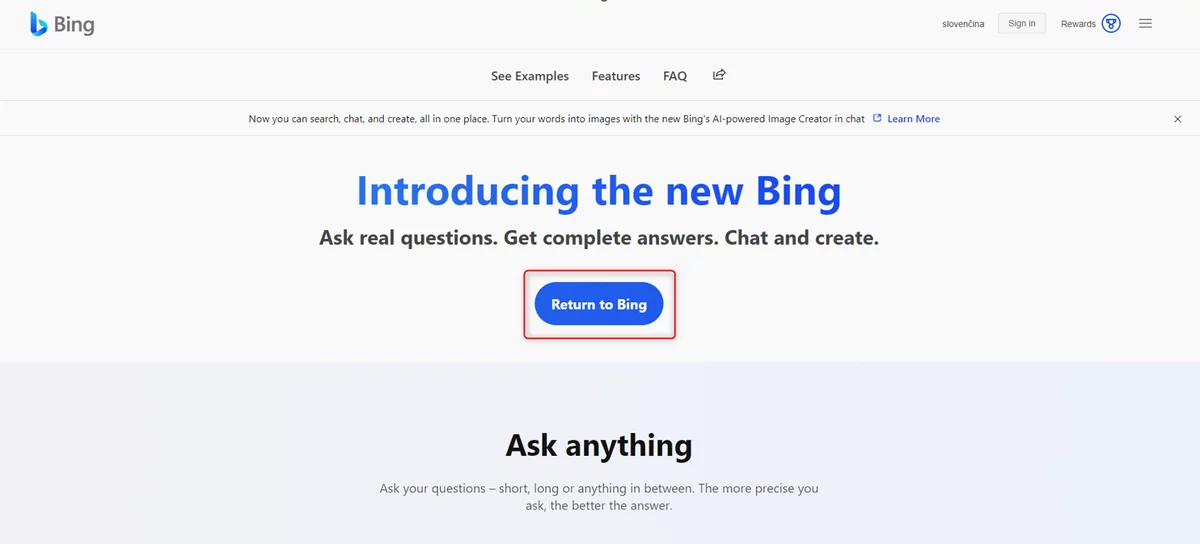
Step 3: Click on the Chat icon.
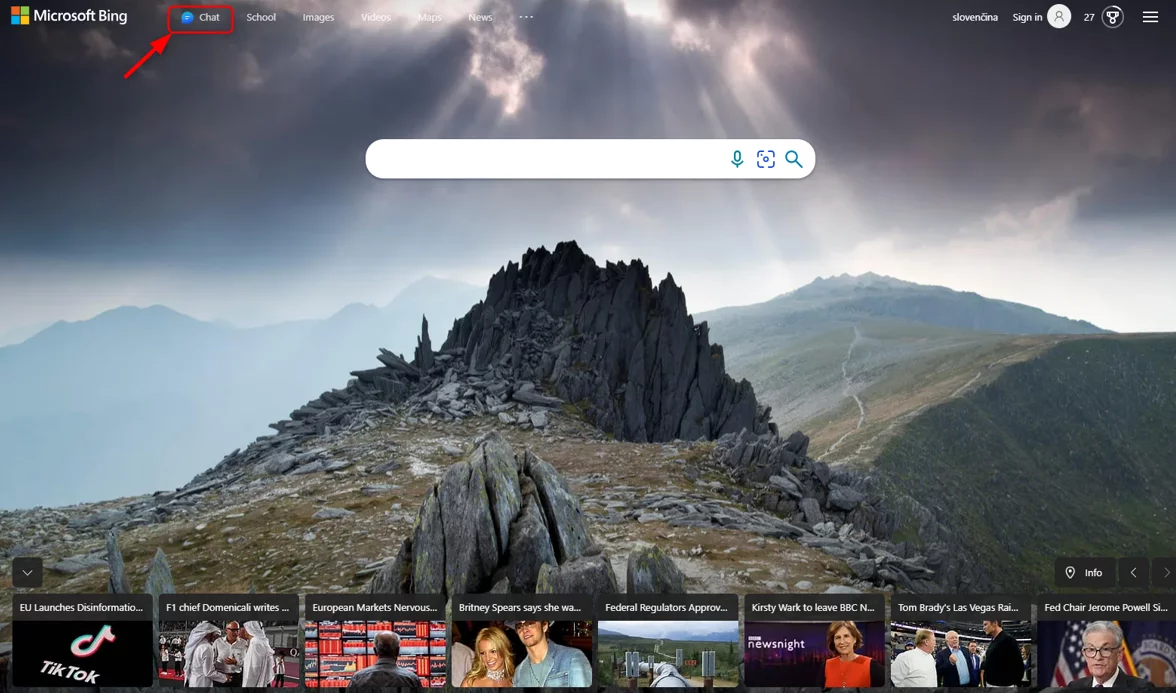
Step 4: You will see the following window. Click on Return to Bing.

Step 5: Now click on the side menu marked in the image and select the “SafeSearch” option.

Step 6: Click “Moderate and Save”.

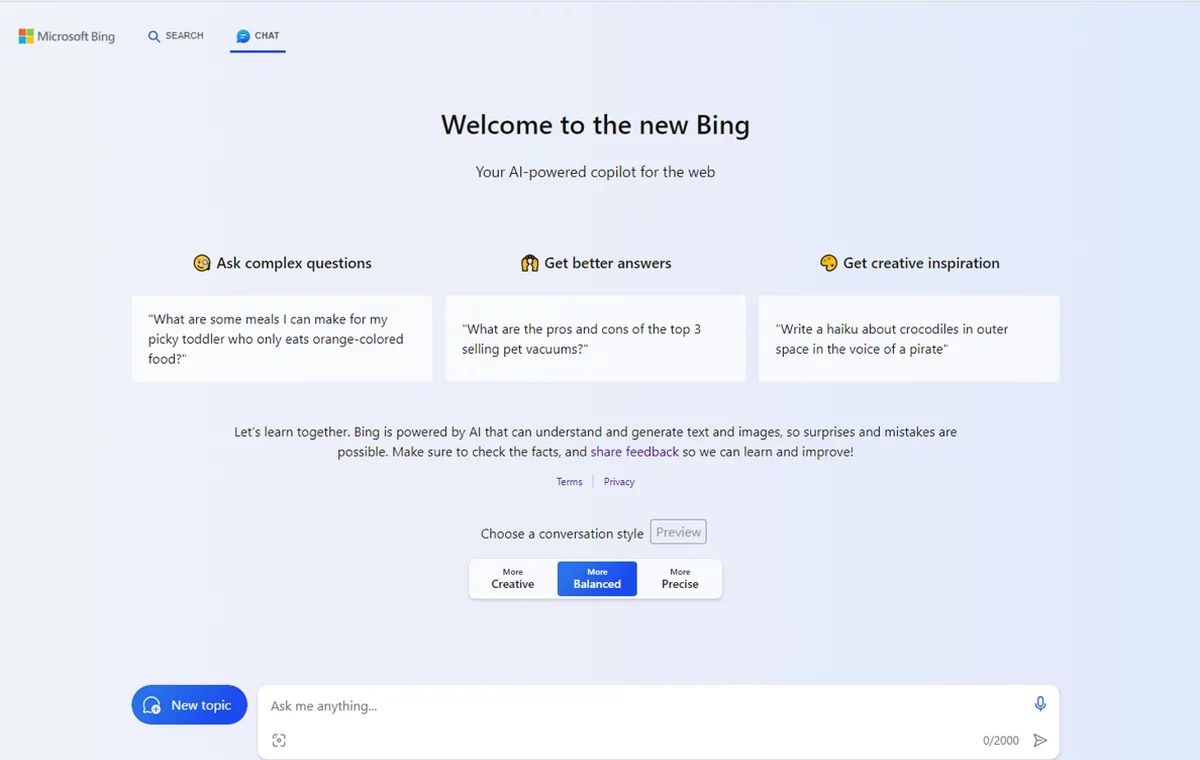
Step 7: This page will open. Now you can ask the browser what you’re interested in.
2. Opera One Browser
The Opera browser has undergone a major modification in both features and design. It now looks just like the Opera One browser released earlier this year and has all its features. However, there is one addition, which is a new chatbot assistant with artificial intelligence called ARIA.
This is Opera’s new native browser assistant that uses the Open AI API. This assistant can read currently open web pages, is completely free and has up-to-date information.
Pros:
- chatGPT is powered by an AI chatbot called ARIA,
- free use,
- up-to-date information,
- can retrieve context from currently open web pages,
- it is also available in a mobile version.
Cons:
- requires you to create an Opera account or log in,
- website context does not work on all pages.
How to use Opera One AI Browser Search?
Step 1: Download the Opera One AI Browser by clicking on Download Opera on their official site.
Step 2: Log in to use Aria’s AI tool and go through the initial settings.
Step 3: You should get to this page. Now click on the first icon in the sidebar on the top left:

Step 4: Click on “Get Started”.
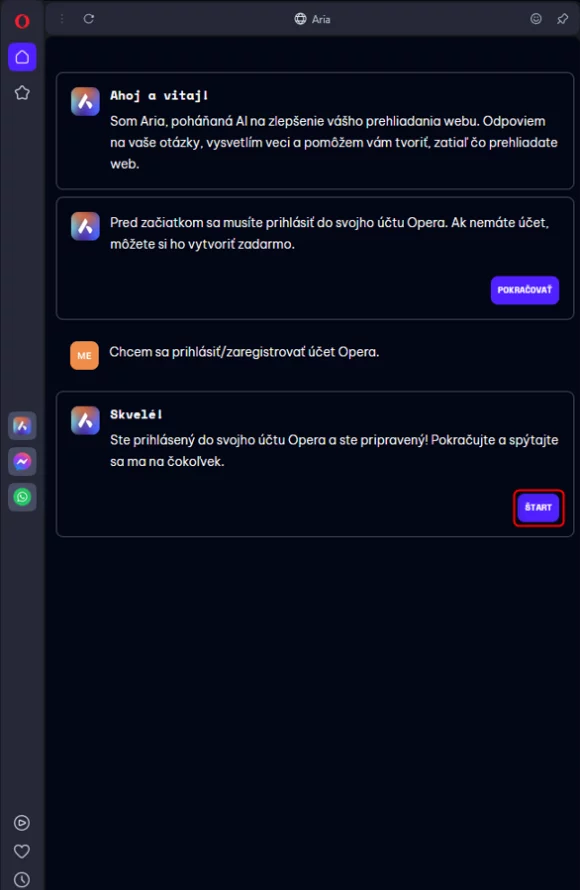
Step 5: You will now see this window. Click “Continue”.
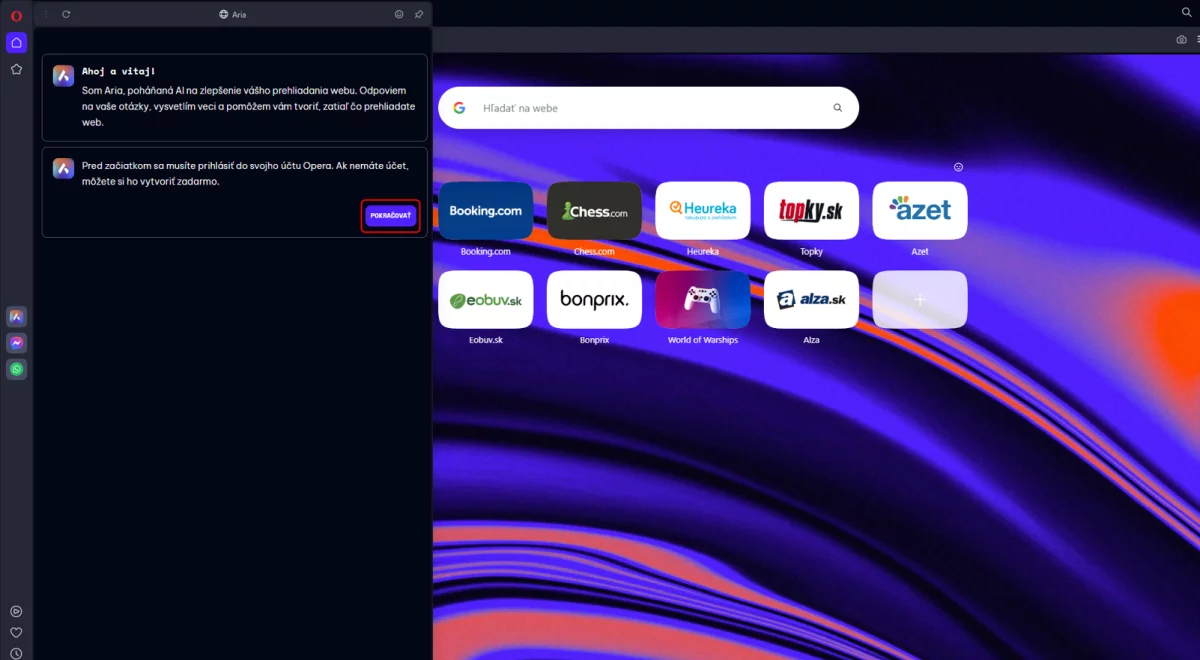
Step 6: If you haven’t signed up yet, do so now. If you are already logged in, click on “Start”.
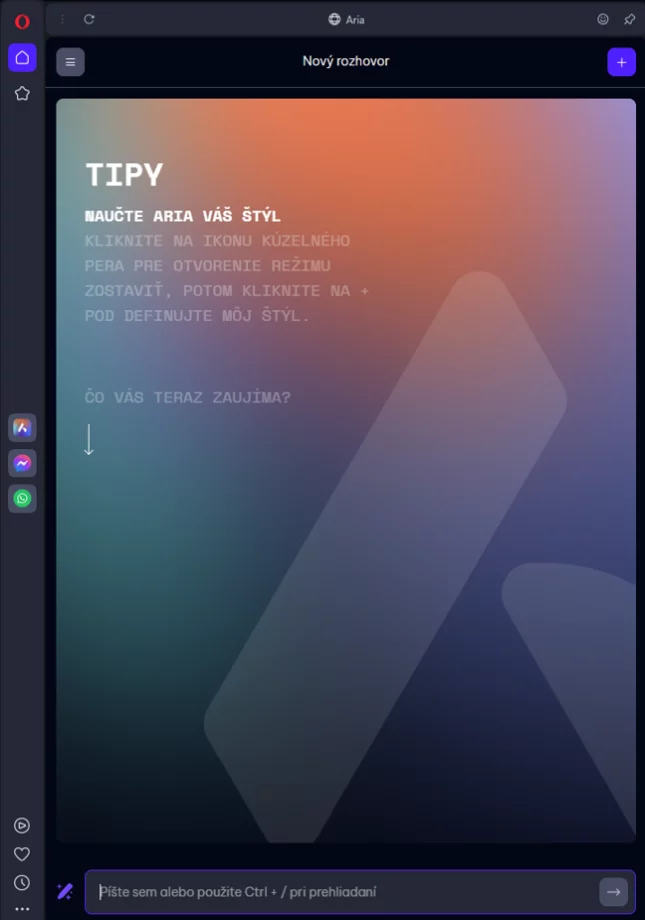
Step 7: You can now enter your question in this row.
3. Brave Browser
Brave Browser is a free and open source web browser based on Chromium. The browser is known for its privacy and security features such as ad blocking and tracker blocking.
Brave Browser advantages:
- Block ads and trackers on all websites you visit,
- allows you to block scripts on the website,
- allows you to block cookies on the website,
- Features : private browsing mode, anti-tracking and untracking,
- based on Chromium, which means it’s fast and powerful,
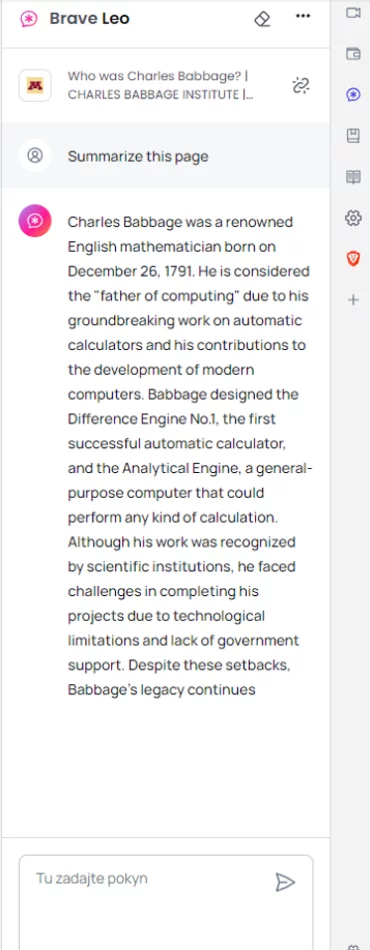
- Brave Summarizer provides a clear summary of the results page,
- provides links to the web pages that are the source for generating the summary.
Cons:
- does not work with all search queries,
- needs further feature enhancements.
How to use Brave Browser Summarizer?
Step 1: Install Nightly channel, which is the desktop browser for Brave, otherwise you won’t be able to run Summarizer.
Step 2: Once the installation is complete, open your browser.
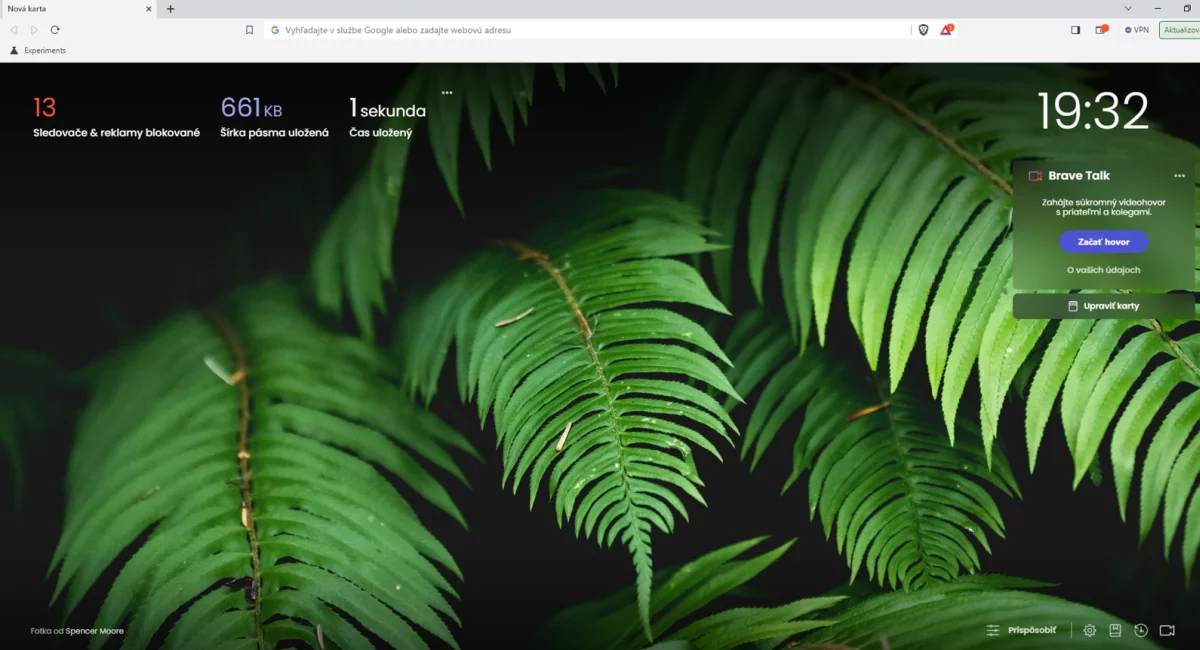
Step 3: Type the following in the url bar: brave://flags/#Summarizer

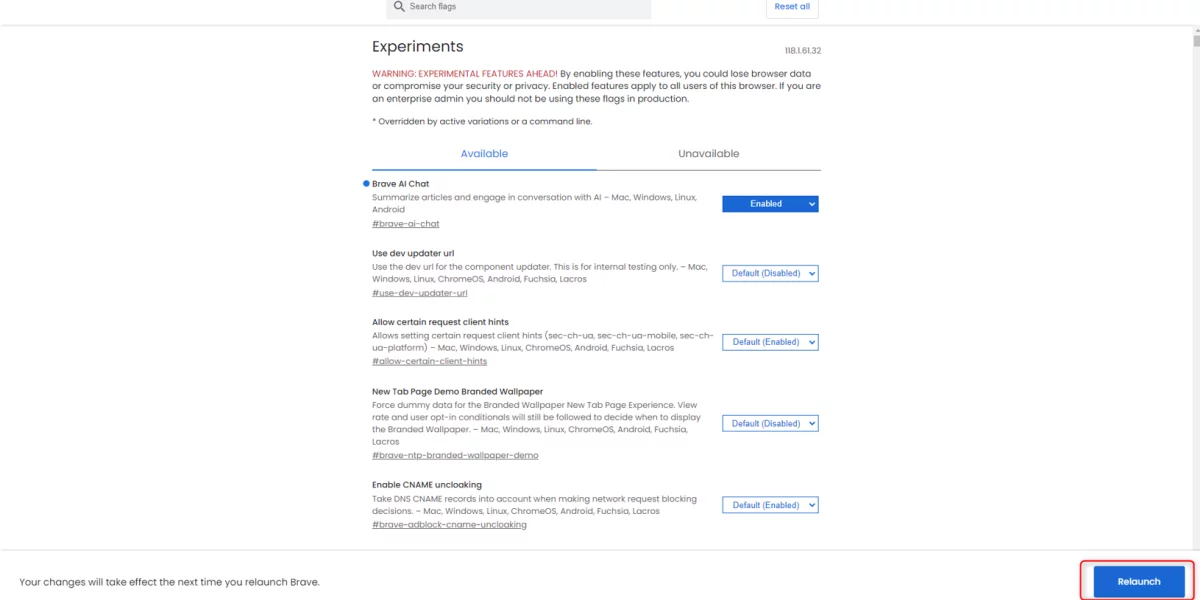
Step 4: Find “Brave AI Chat” and select “Enabled”.

Step 5: Press the “Relaunch” button to reopen the browser with the changes applied.
Step 6: Find any page on the Internet from which you want to get a summary of the information.

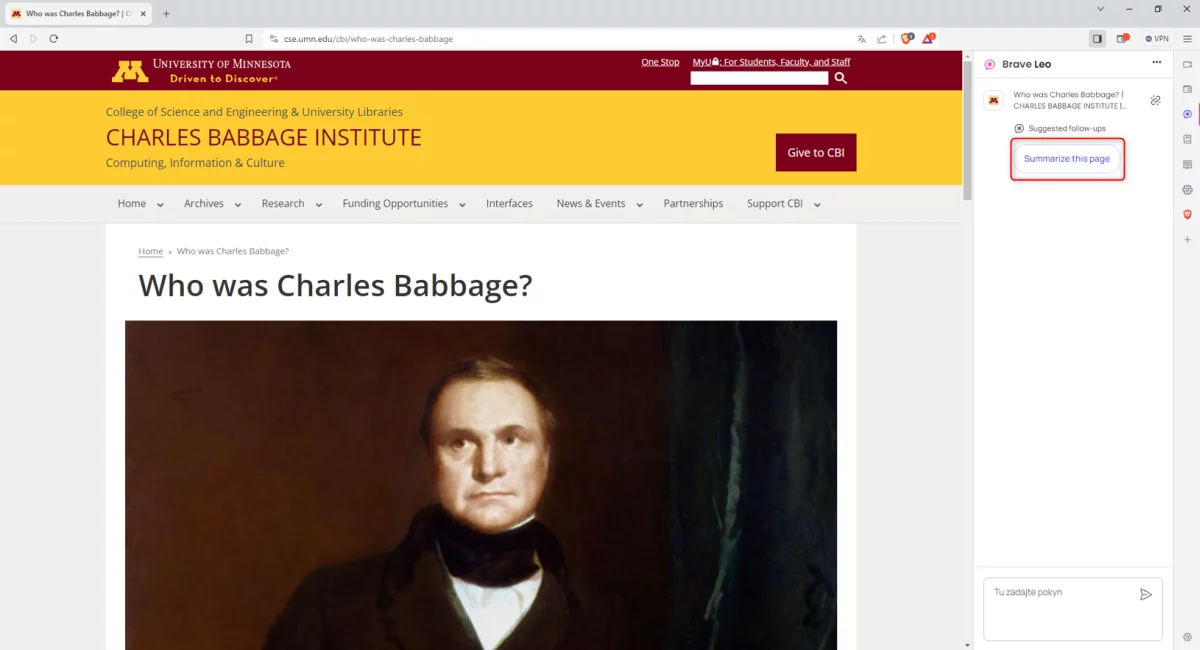
Step 7: Click on this icon in the side menu.

Step 8: : On the right, you’ll see a chat with a button that says “Summarize this page”. Click on the button to view a summary of the contents of this page.
4. Wavebox Browser
Wavebox is a Chromium-based web browser that aims to increase user productivity and efficiency. The browser offers several unique features that set it apart from other browsers. It has a customisable sidebar that lets you quickly jump between web pages, a focus mode that limits distractions, a split-screen view, a task manager and more. It also includes a ChatGPT AI chatbot called Brainbox, which you can access via the toolbar, Translate, Draft and Reply, and Summarize and Smart Note.
Pros:
- allows you to choose from different ChatGPT models,
- revisit and continue previous chats,
- easily accessible functions via the toolbar,
- support for custom add-ons in the Pro version.
Cons:
- Advanced models require an upgrade to the Pro version.
How to use Wavebox Browser search ?
Step 1: Download Wavebox for Windows/Linux/Mac at this link: https://wavebox.io/download
Step 2: Double click on the exe file you downloaded and install the Wavebox browser.
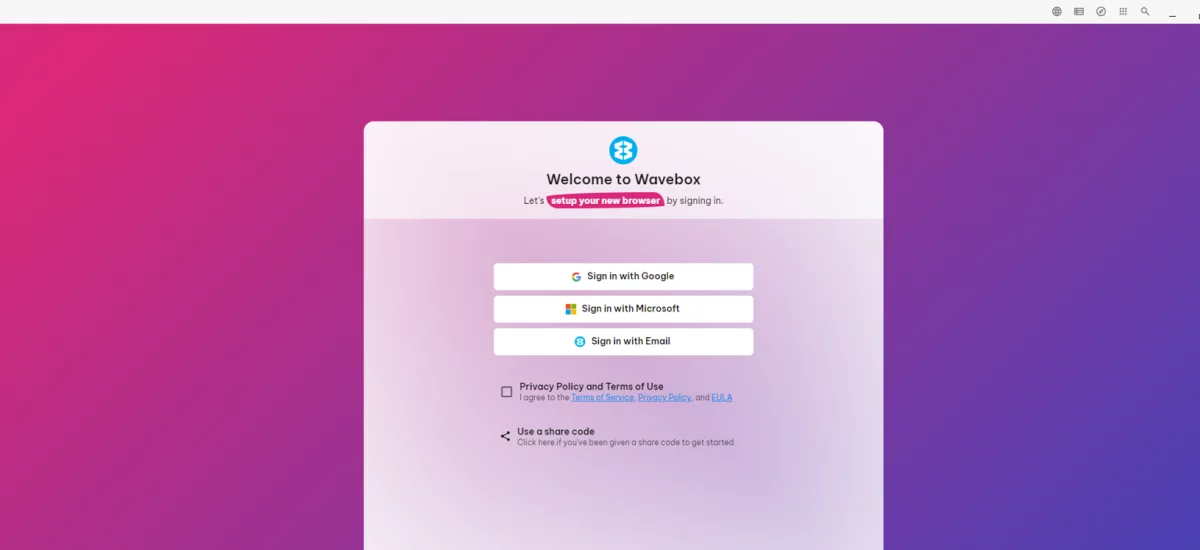
Step 3: When the installation is complete, the Wavebox will start automatically. Now click on the “Privacy Policy and Terms of Use” checkbox. Next, click on one of the three login methods and enter all the necessary details.
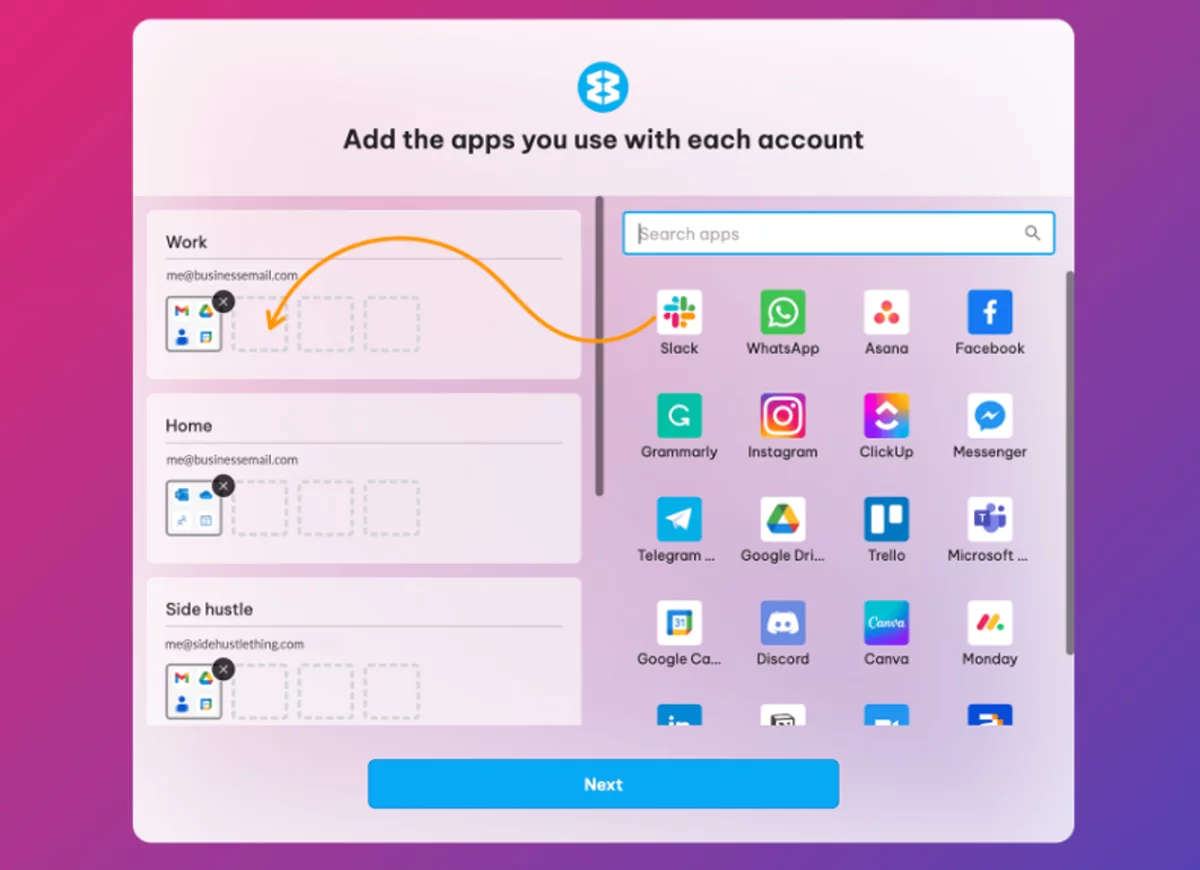
Step 4: In this step, you can choose your favorite apps, which ad blocker you prefer and a search engine.
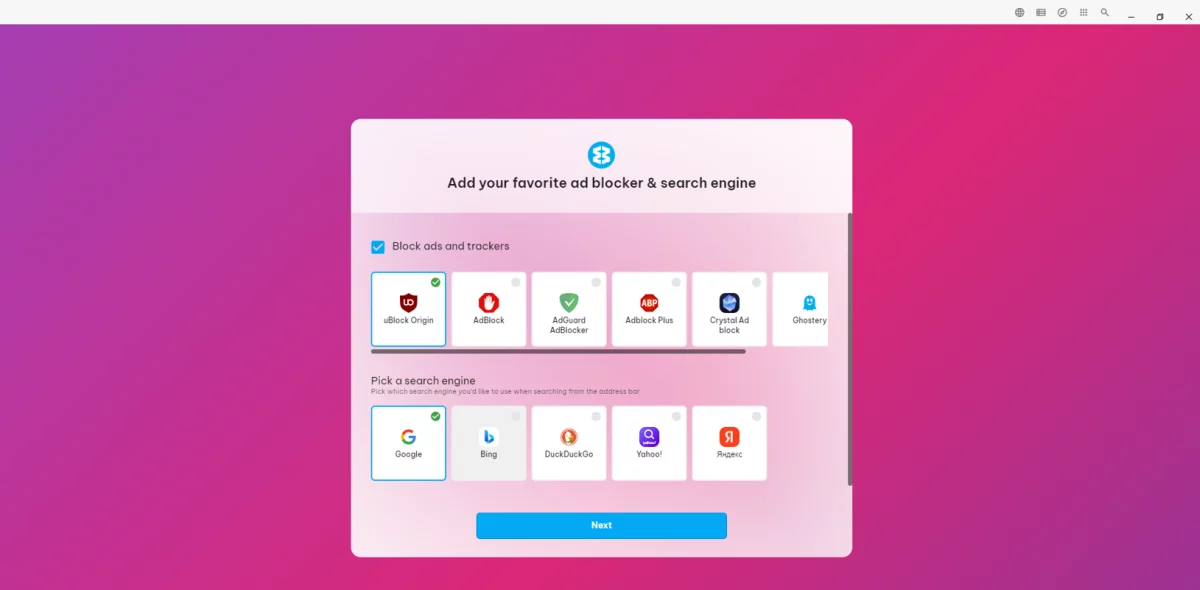
Step 5: Finally, you can choose a colour theme for your browser.
Step 6: Go through the Masterclass tour step by step. We recommend you don’t skip this step, as you’ll learn how to make the most of Wavebox and all the features it has to offer.

Step 7: At the end of the first part of the Masterclass tour, you can create and edit your workspaces.
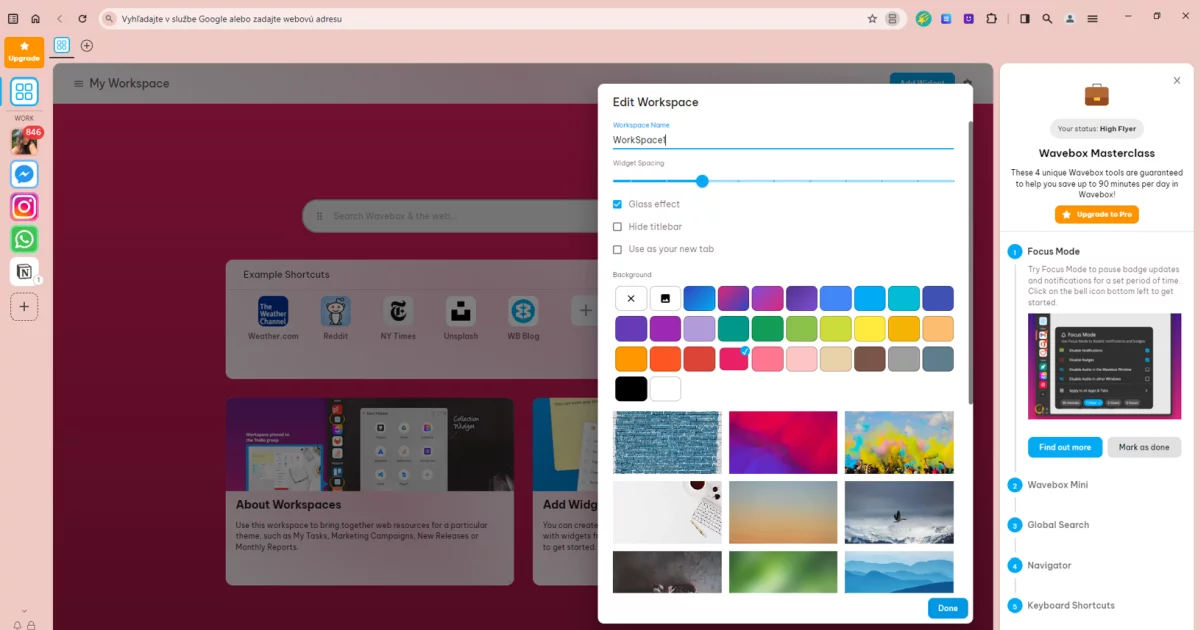
Step 8: Click on the smiley icon located at the top of the bar.
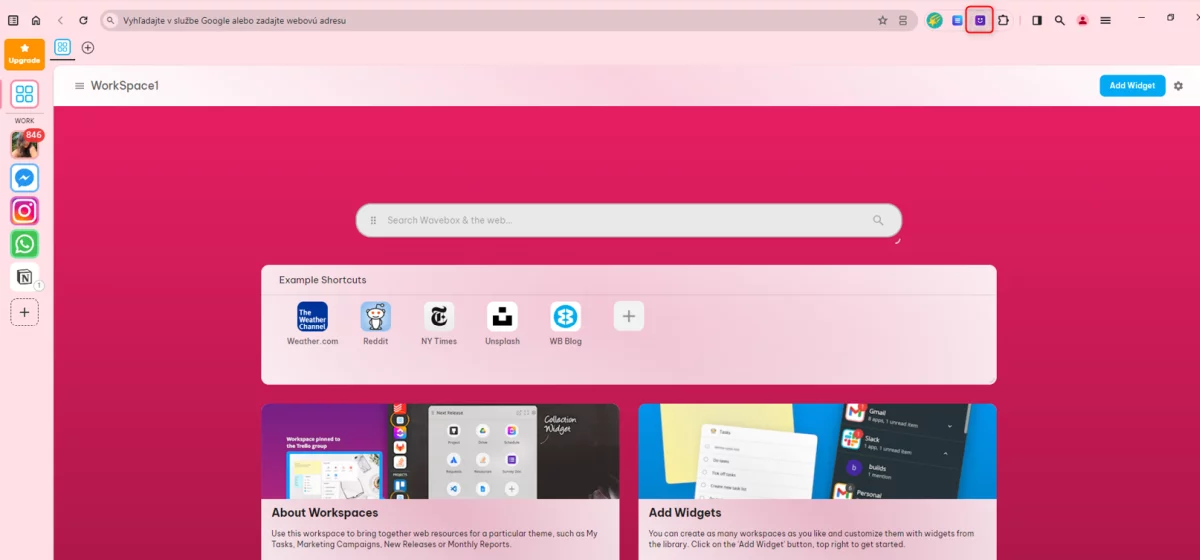
Step 9: Done. You can start writing your questions.
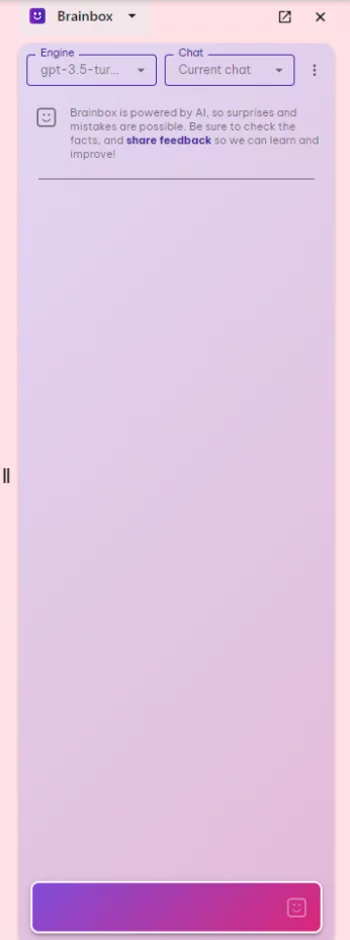
Step 10: Use the built-in functions to translate the text right away. Simply highlight some text, right-click, select “Brainbox” and choose “Translate”.
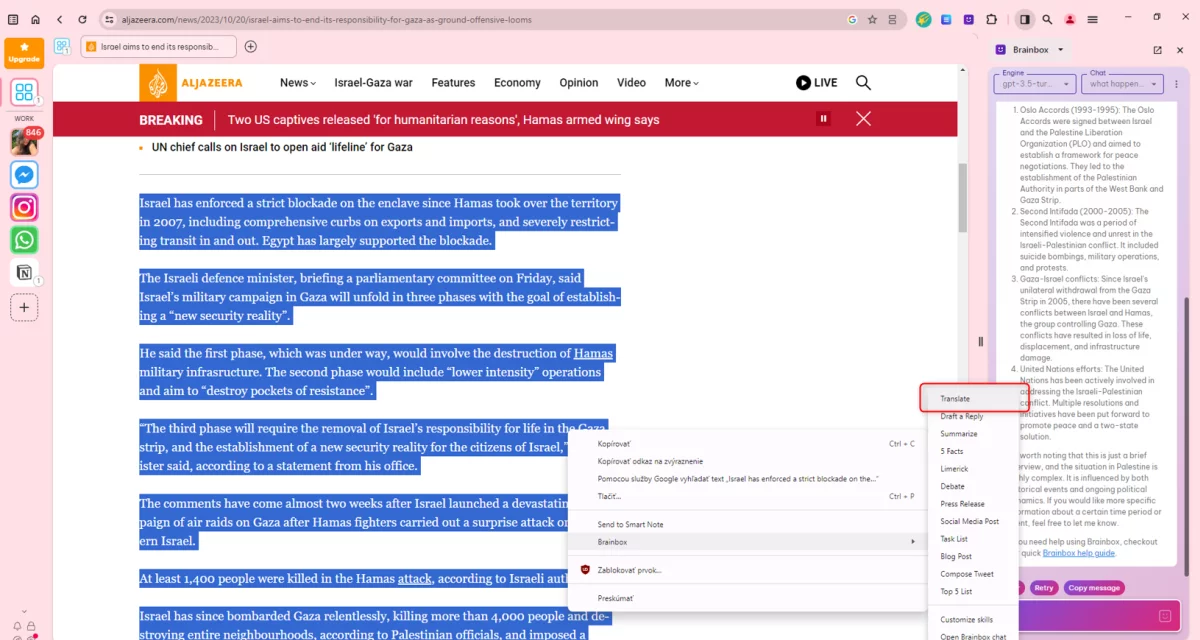
Next in the chat, the text will be translated immediately.

Step 11: If you want to use the “Draft” and “Reply” functions, the process is the same. Highlight the text, right-click, select “Brainbox” and “Draft” and “Reply”. This feature can be used if, for example, someone sends you an article and you want an idea of how to reply because you might not want to read it. Again, you’ll get the answer in the chat on the right.
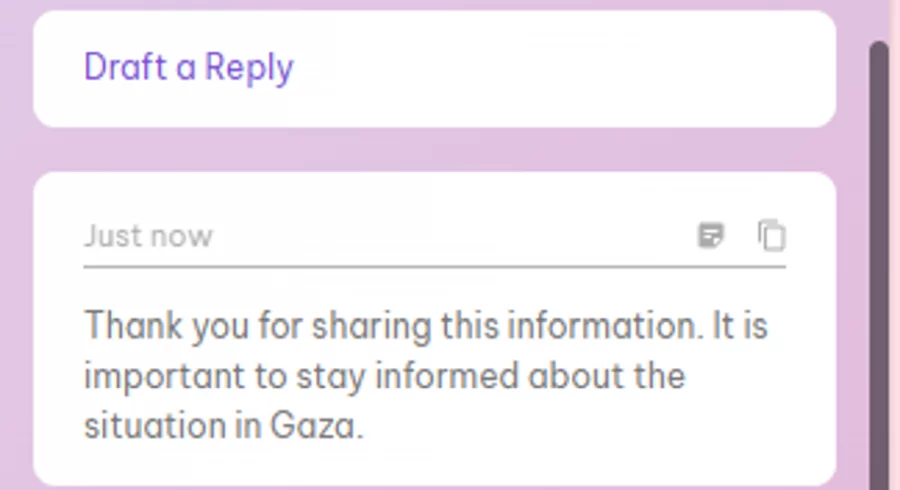
Step 12: Turn on the “Summarize” function in the same way as the previous two functions. The text summary will be displayed again in the chat.

5. OperaGX with ChatGPT Integration
Opera One isn’t the only web browser with an AI makeover. Similar AI features have been given to the popular Opera GX browser, which is aimed at PC gamers. These include ChatGPT and ChatSonic chatbots on the toolbar.
Opera GX, which is known for its speed and performance, now also offers artificial intelligence (AI) features.
These features are available to existing users and include:
- ChatGPT and ChatSonic, which allow users to have conversations, learn and create,
- AI that provides summaries, main ideas, related content, and meme creation of any web page you’re currently viewing.
Pros:
- engaging chatbot AI integration,
- quick summary of web pages using the AI prompt tool,
- try out GPT-4 for free with ChatSonic.
Cons:
- AI prompt tool does not work on some websites.
How to use Opera GX search with ChatGPT integration?
You work with this browser in the same way as described in the instructions for Opera One AI Browser.
6. SigmaOS Browser
SigmaOS is a browser based on Chromium and offers advanced tab control. The browser is equipped with a decent set of features to help maximize workflow, along with a nice interface. It is designed to suit those who want to get the most out of their browsing. One of the major additions is an artificial intelligence companion called Airis.
Airis in SigmaOS works similarly to ARIA in Opera. It can provide context based on the currently open web page. Airis may also create content summaries, edit or overwrite available or provided content. It is currently still in its early version.
Pros:
- control of the cards,
- a companion with AI called Airis,
- sophisticated and elegant design language,
- a focus mode that prevents distractions,
- copy a link to a page with one click.
Cons:
- Airis is only available for macOS users.
7. DuckDuck Go
DuckDuck Go is a new browser from DuckDuck Go that uses artificial intelligence to improve the user experience. The browser is still under development, but already offers some interesting features.
Pros:
- DuckAssist AI assistant,
- the browser uses artificial intelligence to personalize the content you see. This includes showing you more relevant search results, recommending articles that might be of interest to you, and showing you ads that are relevant to your interests,
- the browser uses artificial intelligence to simplify use, this includes automatically filling in forms, designing web pages and providing help with troubleshooting,
- the browser uses artificial intelligence to improve performance, this includes predicting which websites you’re likely to visit next and pre-loading them in the background.
Cons:
- the browser is still under development, so it may contain bugs or limitations, currently it only provides results from Wikipedia sources,
- the browser is only available for computing devices and only for Windows for now.
How to use DuckDuckGo search ?
Step 1: Download the DuckDuck Go browser from this page.
Step 2: Open the file to install.
Step 3: Select the “Install” option.

Step 4: When you’re done with the installation process, the browser will open by itself. Click on “Get Started” and go through the whole process.

Step 5: Now you can search for what interests you! However, if you want to try DuckAssist assistant, go to a browser where it is available, e.g. Firefox, Chrome.
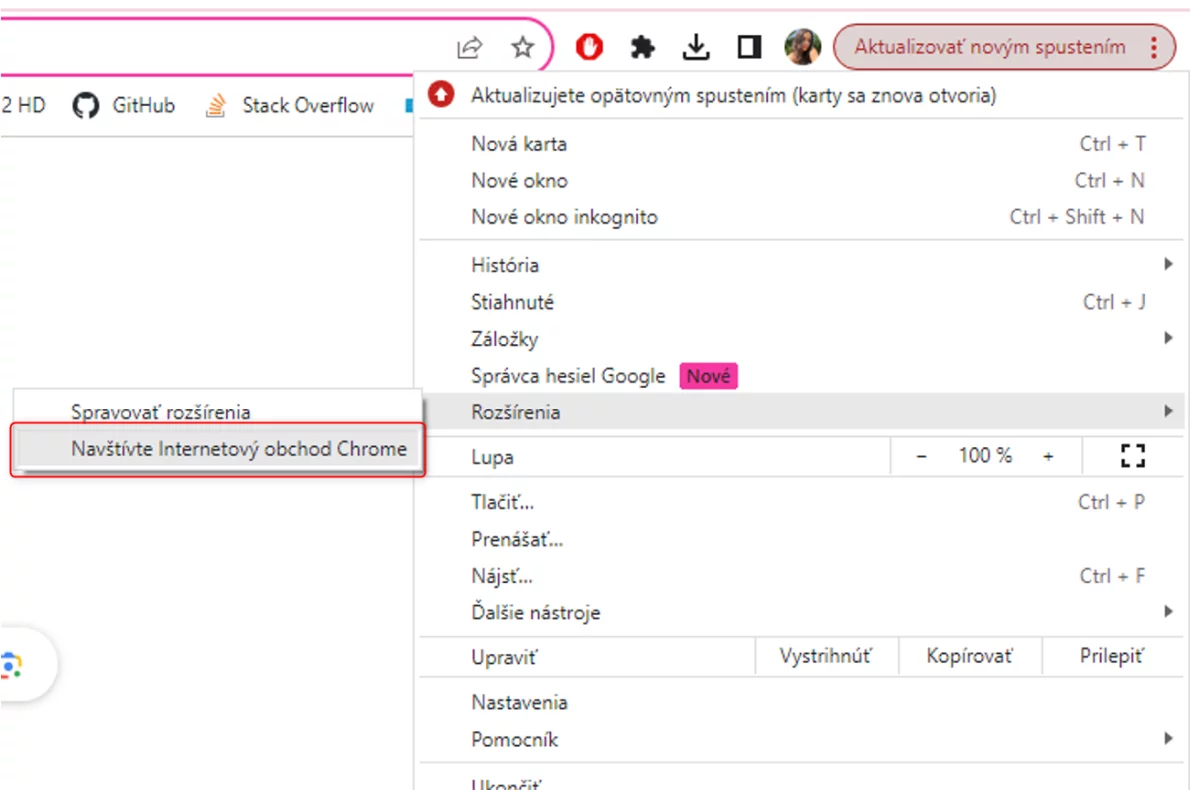
Step 6: Click on the three vertical dots in your browser, then choose “Extensions” from the menu and click “Visit Chrome Web Store”.
Step 7: Type “duckduckgo” in the search box and click Add to Chrome to install the extension.
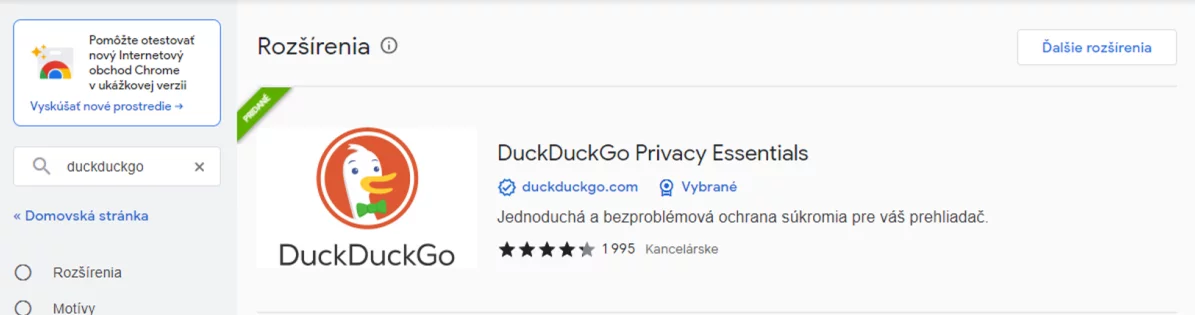
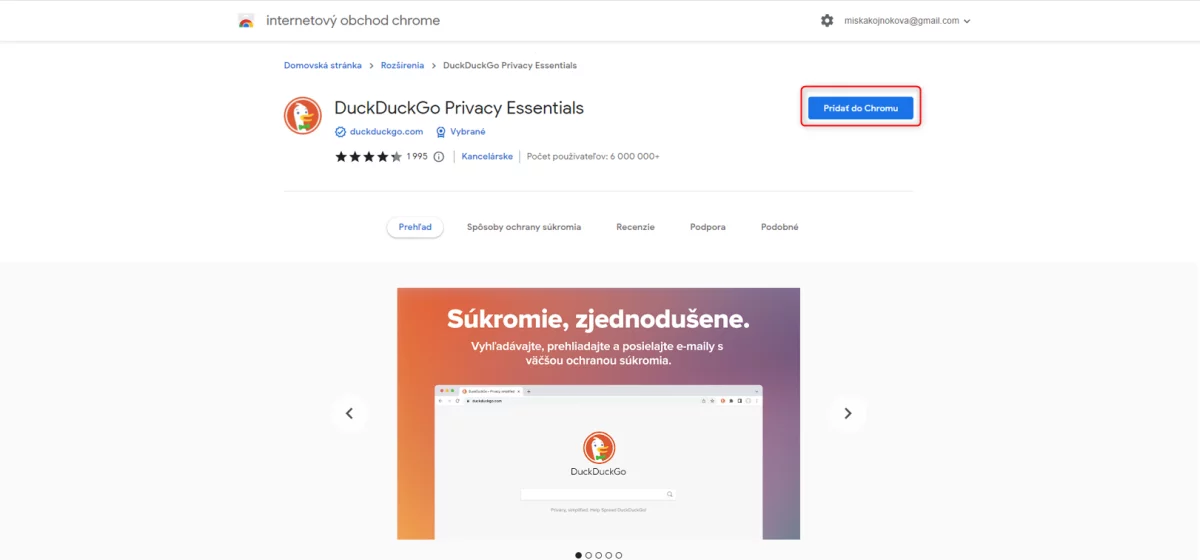
Step 8: You should see this screen now.
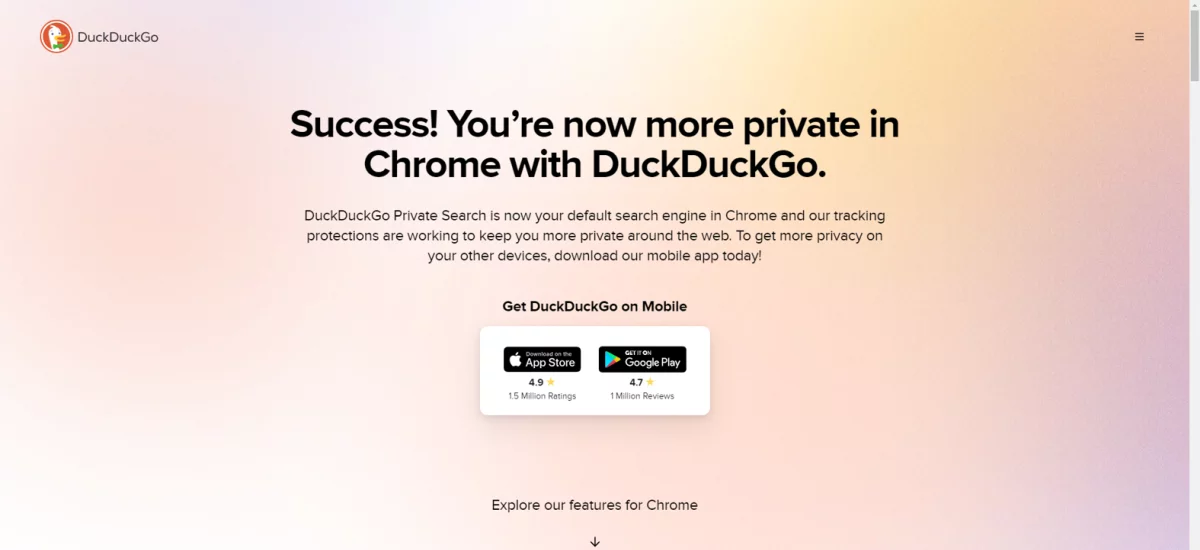
Step 9: You can now enter your question in the search box, but you are less likely to get an answer from the DuckAssist assistant, because for now, providing answers only works for queries that are in Wikipedia. Even that’s if you’re lucky. We tested a range of the most common questions guaranteed to find answers in Wikipedia, but DuckAssist didn’t show answers once.
8. Vivaldi
Vivaldi is a web browser that focuses on customization and performance. The browser offers a number of features that differentiate it from other browsers, such as integration with multiple applications and services, allowing users to access them directly from the browser. Supported apps and services include Slack, Twitter, Gmail, Google Calendar, Asana, Trello and more.
Vivaldi offers users the ability to customize the look and features of the browser. Customization options include themes, extensions, and shortcuts. It also offers a Workspaces feature that allows users to organize their open tabs and applications. There’s also a Focus mode feature that blocks out distractions and allows users to focus on their work. Focus mode darkens the background and turns off notifications.
Pros:
- offers users a wide range of customization options, allowing them to create a browser that suits their needs,
- Vivaldi is known for its performance and ability to launch websites quickly and smoothly,
- offers integration with multiple apps and services, making it easier for users to multitask,
- offers Translate – Vivaldi Translate is a built-in translation tool that uses artificial intelligence to translate web pages into different languages, supports more than 100 languages and is available for both desktop and mobile devices,
- Image Viewer – Image Viewer Vivaldi is a built-in image viewer that uses artificial intelligence to identify objects in images and provide information about them, for example, if you view a picture of a cat, the Vivaldi image viewer can identify it as a cat and provide you with information about cats, such as their diet, environment and behaviour,
- Vivaldi Mail – Vivaldi Mail is a built-in email client that uses artificial intelligence to filter spam and phishing emails, it also has a “Smart Reply” feature that suggests short, relevant replies to emails,
- they continue to work on developing additional AI features.
Cons:
- may be too complex for some users,
- is not as popular as Chrome or Firefox.
How to use Vivaldi search?
Step 1: Download the Vivaldi browser from this page.
Step 2: Run the installation file and go through the installation.
Step 3: Set up ad tracking and choose which browser you want to transfer your old data from.

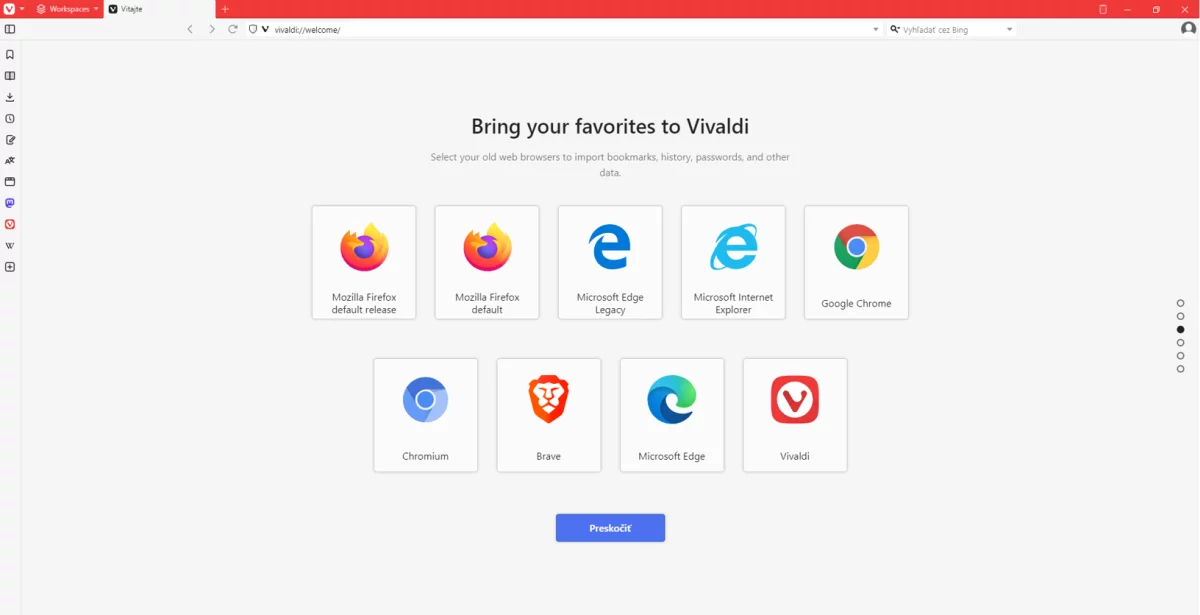
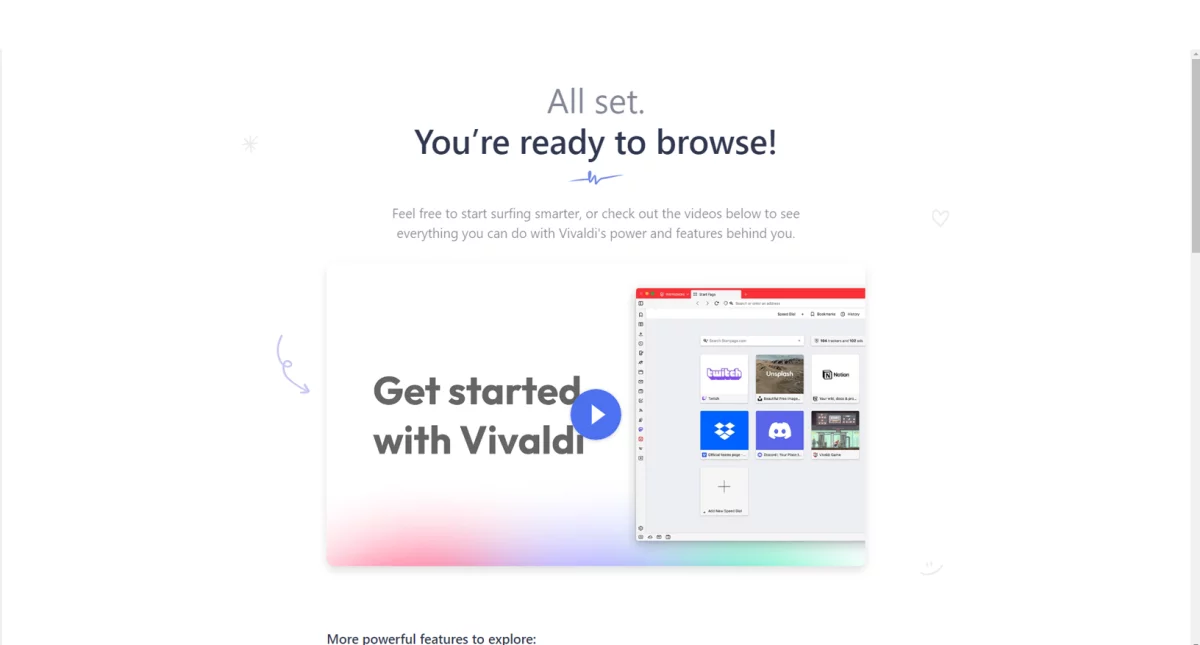
Step 4: Now the browser is ready.
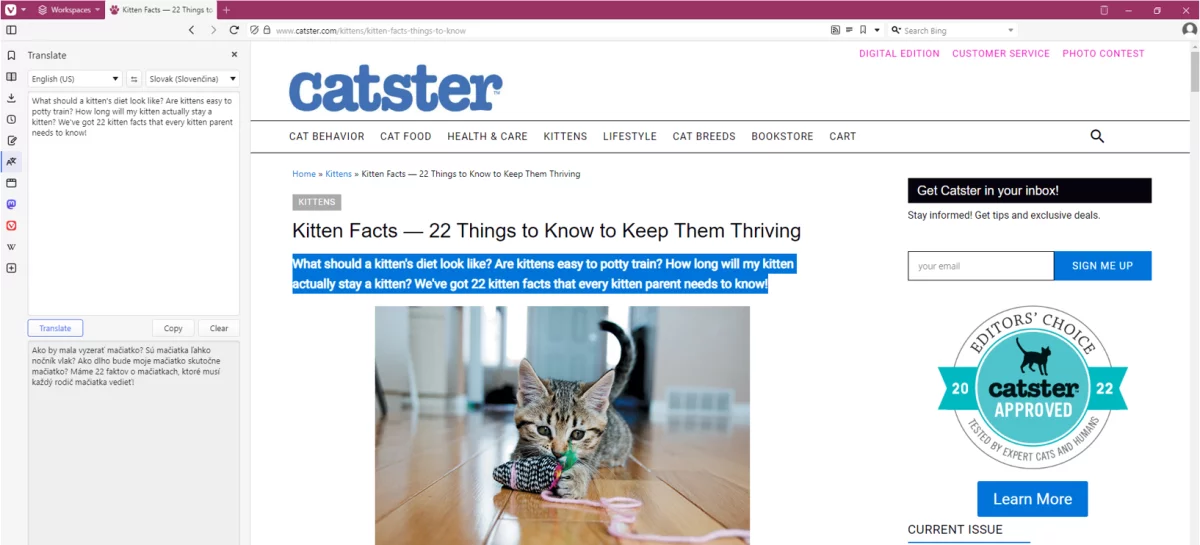
Step 5: If you want to try the Translate function, for example, go to a page and press the following button in the sidebar.

Step 6: Then check the Auto-translate selected text checkbox.

Step 7: Now you can select any text and get an automatic translation into the language of your choice.
Conclusion
First place goes to Wavebox Browser. You can customize just anything you can think of in this browser. You can choose which ad blocker or search engine you prefer. You can choose from a big number of colour schemes. You can also choose your favourite apps and create Workspaces for different parts of your life, such as Work, Home, Learning, Side Hustle, etc.
It also offers a Brainbox chatbot where you can choose the ChatGPT version, a Translate function that reliably translates what you need, a Draft and Reply function that outlines a possible reply to an email, a Summarize function that summarizes the content of the page, and a Smart Note. (Use the Masterclass to familiarize you with all the features.)
The second place goes to Brave Browser with its Summarizer function, which really well summarizes the content of the page without leaving out anything essential. Very usable and for people with little time even desirable. Microsoft Edge also offers a cool feature in the form of the well-known Bing chat.
What we didn’t like, on the other hand, was that we couldn’t access the DuckAssist assistant for the DuckDuckGo browser. We tried for an hour with no result. This assistant supposedly only appears if it finds its answer in Wikipedia, but it didn’t appear even when we typed in exactly what we found in the Wikipedia article.