
General overview of AI chatbots

We live in a digital world where artificial intelligence permeates every aspect of our lives, from intelligent assistants to innovative robotic technologies. In this article, we explore the fascinating realm of artificial intelligence and its impact on chatbots, Google, Alexa and so on. Together we will explore what exactly artificial intelligence is, how chatbots work and how this technology is transforming our communication environment. We’ll dive into the world of ChatGPT, a unique text generator, and explore how Alexa and Google are using artificial intelligence.

More articles about artificial intelligence:

What artificial intelligence is?

Artificial intelligence (AI) is a term that refers to the ability of computer systems and machines to mimic and simulate human intelligence. This intelligence is created using algorithms and models that allow systems to learn from data, analyse information, draw conclusions and make decisions based on given inputs.

Artificial intelligence developers and researchers strive to create computer programs and systems that have the ability to adapt, improve their performance, and perform tasks that require human-level intelligence and decision-making.

The basic techniques that enable the creation of artificial intelligence include:

These techniques allow systems to improve their behaviour based on experience, data and user feedback. Artificial intelligence is often attributed with characteristics such as learning, understanding, planning, image and voice recognition, and the ability to draw logical conclusions.

How artificial intelligence works

Artificial intelligence systems generally work by taking in large amounts of labeled training data, analyzing that data to find correlations and patterns, and using those patterns to make predictions about future states. In this way, a chatbot that receives text examples can learn to create realistic message exchanges with humans, or an image recognition tool can learn to identify and describe objects in images by examining millions of examples. New, rapidly advancing generative AI techniques can create realistic text, images, music and other media.

Artificial intelligence – chatbots AI

Artificial intelligence and chatbots are two closely related fields that play a key role in modern technology applications. Artificial intelligence and chatbots are receiving a lot of attention for their ability to simulate human communication and improve the user experience.

Chatbot AI definition

  • A computer program or software that is designed to simulate human conversation and interaction with users through a text or voice interface.
  • The main goal of chatbots is to interact with people just like a real person would, providing answers to questions, solving problems, or performing certain tasks.

Chatbots can be implemented across a variety of platforms and channels, including websites, mobile apps, social media, messaging, voice assistants and other communication tools. Their interfaces can be simple, like a text-based conversation window, or advanced, using speech recognition technologies.

How does chatbot AI work?

  • It uses artificial intelligence, in particular machine learning and natural language processing (NLP) techniques, to understand, process and generate answers.
  • Based on the analysis of the input text, the chatbot generates relevant and meaningful responses, allowing for a seamless interaction with the user.
  • Answers can be predefined, retrieved from a database, or created in real time using generative text mining algorithms.

Chatbots have a wide range of uses in a variety of fields, including customer support, commerce, reservations, healthcare, education, and many more. Their presence helps automate repetitive tasks, improve user experience and increase the efficiency of communication between businesses and their customers.

Artificial Intelligence ChatGPT

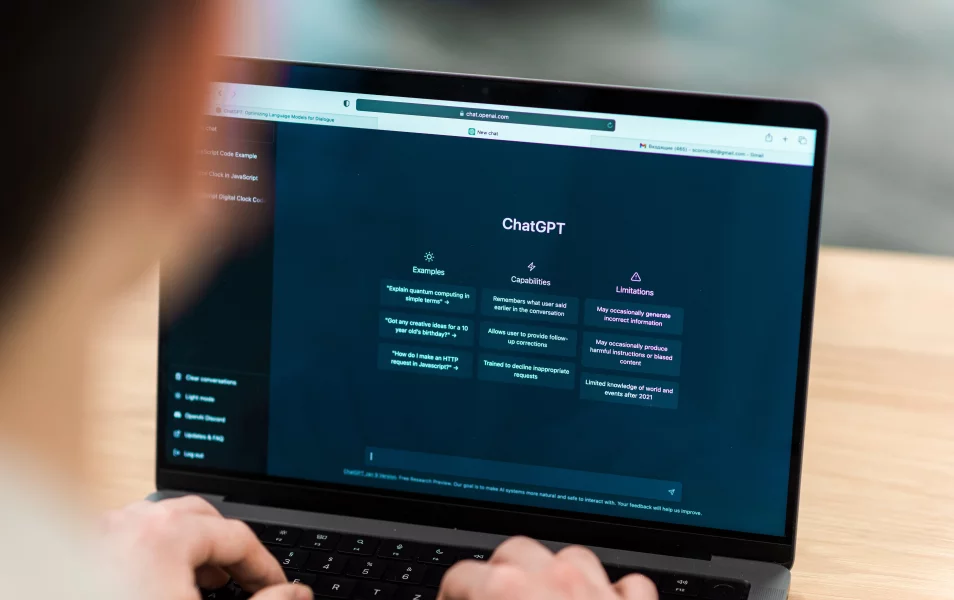
Since its launch in November 2022, ChatGPT has become the most used tool in AI-powered text generation. It’s no longer just a research project – it is a viral hit and quickly became the fastest growing tech app of all time, with over 100 million users in just a few months. The main attraction is the power and accuracy of this natural language chatbot, but it was also important that it was free for anyone to try.

ChatGPT uses GPT-4, a robust large language model (LLM) that creates immersive conversations in natural language. Its knowledge is limited to 2021 and therefore it does not have access to information occurring after that time. Nevertheless, ChatGPT is particularly effective in creating original texts, whether it’s writing stories or imagining different situations. Until it will be replaced, ChatGPT remains the preferred choice for experimenting with AI chatbots, whether to speed up workflows or just for fun.

But since this chatbot is the most well-known among people, sometimes when you try to log in to ChatGPT, you’ll get a message that it’s out of capacity. You could keep renewing the site until you get your turn (or pay $20 a month for ChatGPT Plus), but ChatGPT isn’t the only chatbot. There are plenty of other artificial intelligences you can converse with online.

Artificial Intelligence Google – Chatbot Bard

In addition to OpenAI, Google has also decided to get into the AI game by creating Google Chatbot Bard, which it currently describes as an “experiment”. However, the first presentation surprisingly failed when the chatbot struggled to answer a question during the demo, causing the company’s stock to drop significantly.

Since then, the company has been gradually allowing more and more people to try out Bard through free demos, but even Google admits it’s still just getting started.

Even though the situation doesn’t look well for Google, they seem to have a strong will to improve Bard and move it towards serious competition for ChatGPT. This is evidenced by an innovation they brought only recently. It no longer just provides answers from the web – it now has the ability to search your Gmail, Docs and Drive to help you find the information you want. The new integration allows you to ask Bard to perform tasks such as summarizing the contents of an email or highlighting important parts of a document on Drive.

These integrated apps, which Google refers to as extensions, have a number of use cases and are designed to save you the time you’d spend looking through lots of emails or documents to find a specific piece of information. Bard can then use this information further, for example, insert it into a chart or create a brief summary. For now, this feature is only available in English.

While allowing Bard access to your personal email and documents may raise privacy and data processing concerns, Google assures that this information will not be used to train Bard’s public model and will not be seen by real people. But extensions for Bard aren’t limited to Gmail, Docs, and Drive. Google announced that the chatbot will also integrate with Maps, YouTube and Google Flights. That means you can ask Bardo for flight updates, find nearby attractions, play YouTube videos on a particular topic and more.

Bing AI (Bing Chat)

Microsoft was one of the first investors in the ChatGPT product and introduced its own model based on the same technology. Bing AI chat integrates generative AI created by OpenAI into Microsoft’s own products. In the new Bing, the AI chatbot is just one click away from a regular Bing search. Microsoft has made a number of changes, including the addition of source links, different modes to narrow results, suggested continuation searches and even Edge Copilot. Microsoft is even continuing to implement Bing Image Creator directly into Bing Chat.

Of course, you’ll need to have the latest version of Edge downloaded. It is a limitation, and there is another fairly strict limitation on the number of sessions you can have per day. Yet Microsoft remains one of the biggest players in the game and is determined to introduce “Copilot” modes into all its major products and applications, such as the equivalent of ChatGPT directly built into Word or Excel.

Microsoft is working with OpenTable to enable its plug-in to make restaurant reservations within Bing Chat and with WolframAlpha to generate visualizations.

Perplexity AI

Bing Chat and Google Bard are direct alternatives to ChatGPT, but Perplexity AI does something completely different. Yes, it’s a chatbot, but it adds an interesting social element. Not only you can ask any question or give Perplexity AI any suggestion, but you can also discover popular searches and “threads” that give you a pretty good overview of what’s going on in the world right now. Think of it as Google Trends integrated directly into Google Search – all enhanced by artificial intelligence.

Perplexity is a tool for your curiosity, allowing you to ask questions or get instant summaries as you browse the web.

Perplexity is like ChatGPT and Google combined. When you have a question, ask Perplexity and it will search the internet and write you a quick answer with cited sources. Or if you’re on the page, it will summarize it for you immediately.

Features:

  • instant summary of the current page,
  • option to quickly ask any question from the toolbar,
  • ask questions about the current page,
  • ask questions focused on your current domain,
  • share your answers using the link,
  • click to ask more questions,
  • has a direct connection to the internet, so you can ask any question and it will be able to find the answer, unlike ChatGPT, which only has information until September 2021,
  • can also search social networks such as Instagram, LinkedIn and Facebook.

However, the downside is that while CHATGPT provides the ability to ask questions and receive answers in any language, the downside of Perplexity AI is that it only provides results in English. You can also ask questions in Slovak, but if you don’t speak English, only a translator will help you. However, it’s free to use without logging in, so at worst you just switch to another chatbot.

Jasper AI

If a company or individual user is looking for a tool specifically targeted at professional creative needs, Jasper AI is an excellent option. Its great advantage for the creative people is the ability to specify the exact type of text required. Need a caption for your Instagram post? Or maybe a professional email, a script for YouTube or a complete article for a blog? Jasper AI claims to excel in these specific platforms and formats.

Despite Jasper AI’s focus on professional use, it also offers a free Chrome extension, allowing you to bring AI-generated text into more common environments, such as personal emails or Facebook posts.

How does Jasper AI work?

Jasper is built on custom AI language models and other third-party models such as Cohere, OpenAI and Anthropic. Then it combines the data from these models with your brand information and recent search data to create the highest quality outputs for your use. Jasper works in two basic ways: you either start with a template or you start with a blank document.

Templates in JasperAI

Most AI text generators work with templates. You select a specific template (for example, a blog article, a Facebook ad, a product description on Amazon), provide some information about what you need and press a button. And that’s it, the tool will generate the content.

Pros:

  • It’s easy to use for almost any user. You just have to provide a little information about the general idea of what you want to process and the AI will do the rest.
  • Price range. It is quite affordable, even for the highest plans it offers.
  • It’s great for short texts. If you get stuck writing social media posts, SEO, meta titles, descriptions, and other things that require character limitations, Jasper is great at editing your text to meet those requirements.
  • There are more than 50 templates you can use (for example, Facebook headlines, YouTube video descriptions, product descriptions, email subject lines, and more).
  • It can help you overcome a writing block, give you ideas for blog posts.

Minuses:

  • It’s just not human. Although you will get content, there will be no “humanity” or real personality in it and it will sound a bit “general”.
  • It retrieves information from all over the internet and doesn’t actually verify it. This has led to questionable information, incorrect statistics and some content that is false.
  • No sources are given, so we can’t verify where it got the information.
  • For these issues, you’ll have to go through and read everything thoroughly, then verify the information and edit out anything that’s incorrect or sounds weird.
  • If you’re looking for content for longer articles, you’ll need to select the Boss Mode plan.
  • The number of free words is not based on the words you ultimately get. It’s literally about every single word that is generated. So if Jasper rushes in and starts talking about a product that is completely irrelevant to the business, you’re going to consume resources quickly.
  • Writing blog articles on Jasper is tedious because of the commands. Learning which commands work in certain situations takes time.

Collosal Chat

Colossal Chat is a newcomer to the scene, capturing the atmosphere of the open internet. It is free to use and available in browsers, making it a solid alternative to ChatGPT. It can answer in Chinese and English and can also write code.

More than that, however, what makes ColossalChat important is its open-source nature. It is based on LlaMa (Large Language Model Meta AI), which is actually Meta’s open-source natural language model. This makes it currently the closest thing to a completely open-source version of ChatGPT. This makes ColossalChat more important for developers and the future of AI implementations.

As the leading open-source solution for large-scale AI models today, Colossal-AI was the first to open a complete RLHF pipeline that includes supervised data collection, supervised fine-tuning, reward model training, and reinforcement learning fine-tuning based on the pre-trained LLaMA model.

You Chat

You.com is a lesser-known alternative to Google search as of 2021, but is a pioneer in implementing AI-generated text into its products. YouWrite allows the AI to type the intended text for you, while YouChat is a closer clone of ChatGPT. You.com also offers other features such as YouCode for coding and YouImagine for generating images.

YouChat is a search tool with artificial intelligence. It is built using existing Large Language Model (LLM) artificial intelligence combined with custom features created by You.com.

You can use the search function to search the web in the traditional way, but you can also use YouChat to get the information you’re looking for.

When you use YouChat, you won’t get answers by typing a keyword or phrase into the search bar. Instead, you use the chat interface to ask a complete question in the same way you might ask a human. The answer is delivered right in the chat conversation – you don’t have to go to other websites or read a lot to put together a reply.

Interview questions for the prospective employee and the employer with answers

The interview questions you will receive from a potential employer are various. However, they are always combined so that the other party can see what experience you have, what your character is like and whether you are a suitable candidate. If you’re going to a job interview and want to know what questions you might encounter, we’ve put together the most common ones with answers.

Job interview definition

Job interview is a common part of the recruitment process. During the interview, the potential employer meets with the candidates for the job and finds out whether they are suitable candidates.

What many people forget is that a job interview is a dialogue. You should therefore actively talk to your future employer and ask questions yourself. Don’t be afraid to ask him things about the company, work processes or other areas that interest you.

Recommend
We recommend:

The length and format of interviews vary depending on the employer. Online interviews have also become popular in recent years, saving time and energy. However, as a general rule, if you are shortlisted, companies will usually contact you directly.

Types of job interview questions for an employee

At the job interview, your future employer will ask you a few questions. Your answers should be prompt, clear and understandable. Ideally, they should be shorter but concise. When answering, try to avoid constantly jumping off topic or making irrelevant comments.

The questions included in the interviews are usually very similar. Employers will be interested in your experience, education and future plans. If you want to prepare for them in the best possible way, we’ve listed the most important questions for you below. Plus, we didn’t skip answering the interview questions.

The most common job interview questions with answers about you

The skills and abilities on your CV (Read also our article Resume skills tips) may reveal something about you, but HR professionals want to know more. That’s why the interview includes questions that relate directly to you, your achievements, education and work experience.

This category usually includes questions such as:

Job interview introduction – tell us about yourself

This question or challenge will not bypass you in a job interview. Therefore, briefly describe the key milestones in your life. Tell them where you studied and where you gained the necessary experience. Avoid overly personal topics and areas that are not relevant to the job interview.

Try to appear confident but not arrogant when answering. Back up everything you say with facts and arguments. Don’t make anything up unnecessarily, because HR staff will eventually uncover the bigger and also smaller lies.

For many employers, admitting a mistake, error or weakness is also sympathetic. So don’t be afraid to mention them in a monologue full of superlatives and achievements.

Why did you leave your previous job?

Tell your real reasons for leaving or having left your previous job. Rather than saying outright that you had a bad boss or a low salary, mention that you’ve been considering a change for a longer time because of a better future outlook or because of goals that have been unfulfilled for a longer period of time.

If you did not terminate your employment by your own choice, briefly describe what preceded it. But certainly don’t lie.

How would your supervisor or colleague describe you?

Feel free to use the feedback you received in your previous job to answer this question. But be careful not to highlight qualities such as friendliness, hard work or responsibility without any context. To an employer, it might seem like you’re making things up or don’t know how to answer the question correctly.

Therefore, always add to the characteristics the situation in which they were manifested. For example, when you say that colleagues rated you as reliable, detail how they were able to rely on you for a project.

More questions about you

You will also encounter the following questions in interviews:

  • What are your strengths and weaknesses? When answering, focus on the things that are key to the position. But apart from the strong ones, don’t forget about the weaknesses so you don’t look arrogant. When you mention your cons, you show the employer that you know about them and can therefore work on them.
  • What motivates you? Be honest, but avoid saying that the only motivation is money or employee benefits. Think about what your chosen job can give you and mention it in the interview. Suitable motivation is, for example, gaining more experiende, partial freedom thanks to home office work, working for a large and well-known company and so on.
  • How do you cope with stress? Stress is a normal part of our lives today. Someone handles it better, someone worse. HR staff want to know which group you belong to and whether stressful situations are causing you problems. However, the answer “I handle stress well” will definitely not be enough for them. Instead, describe one of the stressful situations you’ve experienced and show them how you dealt with it.
  • Why should we employ you? This question is one of the most difficult interview questions. In fact, it is quite complicated to answer it without appearing superior. But you can at least try. Tell the recruiters about your experience and how they can help the company. For example, if the position is a home office, say that you have worked this way before and don’t mind communicating remotely. Besides, you can also say something like: “During our conversation, you mentioned that you needed to fill this position as soon as possible because you need one more person to work on the project. I can come in immediately and help resolve your difficult situation.”

Job interview common questions about the company

Recruiters also like to ask questions about the company you’re applying for. Through them, they find out what you know about it and whether it was just one of the many companies you sent your CV to.

This category includes questions such as:

What do you know about our company?

No one expects you to know the entire history of the company and its every milestone. On the other hand, you should definitely know what kind of business they are in and what services or products they provide. You can also mention its greatest achievements or the clients its works with.

Recommend
We recommend:

All the important information is on the employer’s website. Finding and studying it will take you no more than a few minutes, but it could give you a significant advantage in an interview.

What can you bring to the company?

If you’re looking for tricky interview questions, this is one of them. The recruiter uses it to check that you understand what is expected of you in the job and that you are ready to start work immediately.

So start with the qualities that are key to the position. For example, if you’re a Java developer, tell them you know several programming languages that the company uses most often. This can help you in many areas without additional training.

Then add a few more specific points you would address in the first weeks after starting your job. This will show the recruiter that you really know what the position requires and that you are ready for it.

Other questions about the company

The following questions also come up in interviews:

  • What do you think this position entails? Base your answer on the information given in the advertisement and on the employer’s website.
  • Do you know what kind of person we are looking for? This information should also be included in the advert to which you have responded.
  • Why us? Talk about what attracted you most about this job offer and how it is different from the other job offers and also mention the company as a whole. It is ideal to mention, for example, the possibility of working from home fully or partially, flexible working hours, interesting company benefits and so on.

Interview questions for interviewer

When you know what questions employers ask in an interview, it’s time to move on to the next area. We’ll talk about what you should be asking employers.

As we have already mentioned, the job interview = dialogue. So your job is not only to answer, but also to ask questions. Don’t rely on the fact that you will come up with your questions during the interview. You may not know what to say when it’s your turn. And you definitely don’t want that.

Go through both the employer’s website and the job offer you responded to before the interview. Write down everything you can think of accordingly. In addition, you can also be inspired by our questions:

  • What will my working day look like?
  • Is it possible to do this work partly from home?
  • What team will I work in?
  • What are the working hours? Flexible or fixed?
  • Is it a permanent job or a freelance job?
  • In what direction will the company develop in the incoming years?
Did you know that…

You can receive similar articles directly to your email? Become a member of the msg IT community and we will regularly provide you with IT news, interesting podcasts, important events and current job offers. As a member you can also take part in our competitions! With our community, you’ll never miss a thing in the IT world!

Sensitive interview questions

How to answer interview questions that are sensitive? It is best not to answer, because the recruiter should not ask such questions. As a rule, this includes questions and topics related to privacy, sexual orientation, religion or marital status, such as:

  • Do you have children?
  • Are you pregnant?
  • Are you married?
  • Are you planning to have a baby anytime soon?
  • What is your state of health?
  • Who did you vote for?
  • Do you drink? Do you smoke?
  • What is your religion?
  • What is your sexual orientation?

If you encounter similar questions, answer as follows:

  • If it is possible, I would prefer not to answer this question.
  • I would like to focus on the prerequisites and skills related to the position.
  • I don’t think this question has anything to do with the job.

What else to think about before the interview?

The question of how to prepare for a job interview troubles almost all candidates for a new job. If you have a meeting with a prospective employer or recruiters, follow this advice:

  • Find out ahead of time where the meeting point is – if you’re driving, check parking options. Leave the house with enough time to avoid traffic jams or other unexpected situations.
  • Dress properly – the right outfit leaves the right first impression. Outfit choice should be adapted to the position and the company culture. You can choose more comfortable clothing, but avoid tracksuits or other sports and home clothes.
  • Bring all the necessary documents – make sure you have your ID and a printed CV. Next, take a notepad with a pen to take notes and other documents, such as a cover letter, if the recruiters have asked you to do so.
  • There are some things to avoid completely – chewing gum during an interview or smoking before a meeting. It’s also ideal to turn off the sound on your mobile phone so it doesn’t disturb you during the interview.

Make a good impression at the interview

The interview is your chance to impress a potential employer and show that you have what it takes to land your dream job. To really succeed, you need to prepare for the job interview properly. Find out what questions recruiters ask most often and how you should answer them. Then, don’t forget the right clothes to make an impression, punctuality and all the necessary documents.

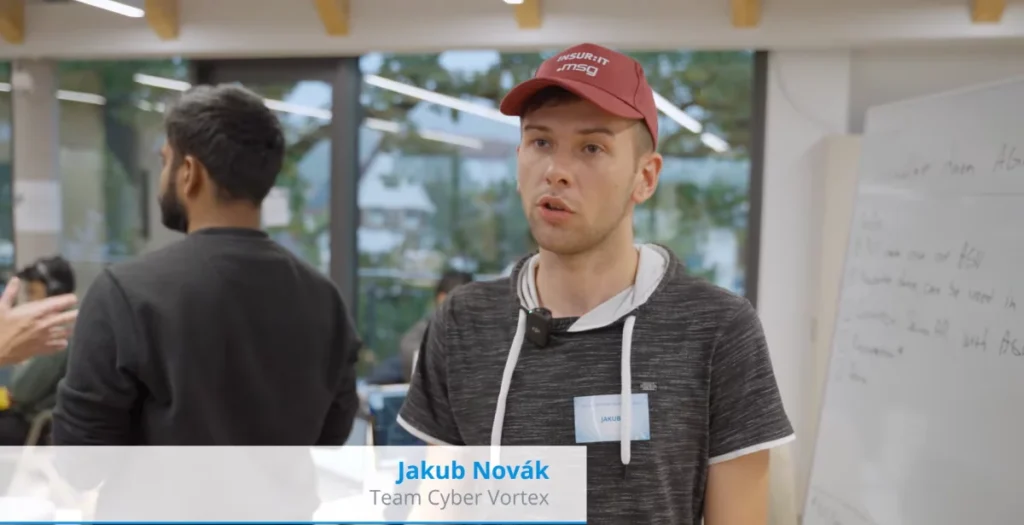
Our colleague Jakub programmed robots and participated in the SICK solution Hackathon. How did it turn out?

Jakub has a close relationship to innovation. He has programmed robotic arms and participated in the SICK Hackathon. Although there are several similar hackathons organized by different companies, such as online hackathons, events like Hackathon Kosice or Hackathon Bratislava, Jakub went all the way to Germany, where he and his team were successful. Read in this interview what is the Hackathon, what it entails, what idea Jakub and his team presented and how the competition was run.

How did you get into programming robotic arms?

It was my previous job. During my studies I learned to program PLCs, robotic arms and everything in the field of industrial automation, i.e. sensor systems, motors and so on. It was based on my field of study, which was focused on programming and design of automatic lines. Moreover, it was my hobby at the time.

Have you managed to achieve any success in this area?

Yes, after a successful presentation of my security solution, which used a laser scanner and light barriers from SICK company, I was approached by their sales manager with an offer to take part in their Hackaton tender. I agreed because it was a great opportunity to try out the R&D environment and I wanted to show that robots that can sometimes pose a danger can be integrated with humans. That was also the intention of my entire high school thesis.

I have participated in various domestic competitions such as the Technical Idea of the Year. An example of another competition is ENERSOL, where I scored points in the regional round with a project of a factory that uses IR cameras and the whole production takes place in the dark, without people and visible light. I didn’t participate in the national round, even though I was nominated.

Did you prepare for the Hackathon in any special way?

It is impossible to prepare for the Hackathon, because although we had templates of various real projects, we got the task only on the spot. Then we received the equipment and had approximately 48 hours to develop a solution. After that time, the ideas were presented and we waited to see if ours would be awarded. The whole thing meant a few days without sleep, so all I could do to prepare was get a good night’s sleep.

What were your feelings before the competition?

I was pretty freaked out because I was one of the youngest participants, if not the youngest ever to attend their Hackathon. Most of the time, it’s attended by students who are finishing college, and I only finished high school this year. I also had to travel more than 1000 kilometres by car and then spend hours solving the task with a team I didn’t know beforehand.

Jakub's team CYBERVORTEX
Jakub’s CyberVortex team

Who was in your team?

We called our team CyberVortex and it had five members. Apart from me, there was an Indian with a focus on robotics and augmented reality, two students from Georgia who focused on mathematics, programming and algorithm creation, and a student from Bangladesh who was an artificial intelligence expert. I think it was the perfect composition because the mathematicians thought through the algorithm and “pushed” our solution to the AWS cloud. Thanks to artificial intelligence and augmented reality, we took our project from computers to the real world and my job was to gather the information, make sure each team member had everything they needed and present the solution itself.

What competitors did you have?

The competition was open to anyone. There were students from all over the world, and not only from the IT field. Even a person with a non-technical background can participate in the Hackathon. This is done through a selection round, where they assess whether a person with a given background and experience would be an asset to the selected topics. My application included a focus on robotics and I think that my experience with systems administration, which I am currently working on within msg life Slovakia, was also successful. In the end, 107 students from 22 countries participated in the hackathon, forming 23 teams. Each participant has their participation and costs fully covered, which is not cheap at all, so the selection is very careful.

What solution have you created together?

CyberVortex focused on a cloud-based solution that collects, visualizes and analyzes data from an autonomous vehicle. So it was necessary to solve algorithms for trajectory visualization in the 3D world, processing of lidar data and sending to the Cloud. This was a solution to automate the SICK factory in Germany, where small vehicles should be able to move autonomously, which is already done, but there were some changes that needed to be made. The aim was also to speed up the identification of AGV vehicle problems.

Check out the interview with Jakub from Sick Hackathon
Check out the interview with Jakub from Sick Hackathon. Click on the image to view it.

Who won the competition in the end?

The team that created the electric car app. Such solutions already exist, of course, but the benefit of this app was that it was possible to reserve a place and then pay for charging at private stations that are not part of the major networks. However, after the competition was over, the ideas were still being consulted and it became clear that ours might be developed further by SICK.

What did you gain from participating in the Hackathon? Would you recommend it to others?

100% yes. I had the opportunity to meet other cultures, coordinate a team, keep it going and develop an interesting solution. So it wasn’t just about building hard skills, but also soft skills. All this was happening under time pressure and without sleep. One also has the opportunity to meet talented people and people from big companies, which are all valuable contacts. I was therefore happy to be able to participate

to use not only for personal visibility, but also for the visibility of msg life Slovakia, where I now work. I was losing faith in the fact that big companies in Slovakia really care about their employees, but at msg life they clearly proved to me that they really care about people and their work.

Although I have a degree in programming and automation, I increasingly find that I get more satisfaction from leading and presenting projects like this than from coding them. This is one of the reasons why I changed my original focus. This is probably why the IT admin position suits me better. At msg life Slovakia, I like the great team and superb facilities very much.

Jakub, System Admin
Jakub, System Admin

If you’re interested in Jakub’s story and would also like to pursue a career in IT, take a look at our job offers. In case you don’t find a suitable one, feel free to leave us a CV. We are always looking for young talents like Jakub.

What is disk cleaning and how to optimize storage: the key to your device’s performance and security

What do storage cleaning and Santa shoe shining have in common? Imagine your hard drive or internal memory is like your favourite pair of shoes – if you don’t keep it clean, its performance will gradually deteriorate. In this article, we’ll give you a variety of tips on how to effectively keep your digital “shoes” clean to ensure they perform at their best.

Why is cleaning important?

  • Performance: as new files and apps are added to your computer or mobile, it slows down. Deleting unnecessary data frees up system resources.
  • System stability: system errors are often caused by an overcrowded disk. By keeping the storage area tidy, you reduce the risk of system failures and crashes.
  • Security: regular cleaning can find and remove potentially harmful files.

How to maintain an optimally clean device?

Regular disk cleanup

Set up a disk cleaning schedule. It is ideal to clean the device at least once a month. This regular cycle will help you ensure that the device remains efficient and fast. Also take advantage of the possibility to automate cleaning processes. These processes can run in the background and periodically delete unnecessary files, saving you time and keeping your device running smoothly.

Remove unnecessary applications

Regularly browse the apps installed on your mobile or PC and remove the ones you no longer use. Inactive or infrequently used applications can unnecessarily take up space and slow down performance.

File organization and version control

Keep the files on your device well organized. Create directories and subdirectories for different types of files and documents, allowing you to quickly find what you need and making storage management easier. Effective use of version control tools is essential. These tools help track code changes and reduce file redundancy. Proper management of version and code repositories can significantly free up storage space and improve project organization.

Cloud storage

Cloud storage is ideal for moving older files, photos and videos. This way, you can free up space on your local drive without losing access to your data. Cloud services provide a flexible storage option that can be accessed from anywhere, which is convenient for users who work on multiple devices or need to share files with others.

Tips for Effective Cleaning:

1. Analytical tools: Use tools such as WinDirStat or DaisyDisk for disk analysis to give you a graphical overview of your storage usage. Tech-savvy individuals can experiment with custom scripts or use advanced analysis tools like SpaceSniffer or TreeSize to identify large files and folders. 2. Data backup: Always back up important data before any major disk cleaning. You can use external drives, cloud services like Google Drive or Dropbox, or dedicated backup software like Time Machine (for macOS) or Acronis True Image. 3. Operating system updates: Keep your operating system and software up to date. Updates often include bug fixes, performance improvements and storage management optimizations that can significantly impact the speed and efficiency of your device. 4. Cleaning scripts: If you’re a programmer, create your own automated scripts to clean files and storage. This may include scripts to remove temporary files, clean cache memory, or automate routine tasks. 5. Secure data deletion: Use disk cleaning tools like Eraser or CCleaner to securely delete sensitive data to prevent it from being recovered. These tools overwrite deleted data with special patterns, preventing it from being recovered. 6. Disk defragmentation (for HDD): If you use a traditional hard disk drive (HDD), regular defragmentation can help improve its performance. Modern operating systems like Windows 10 do this automatically, or you can also manage defragmentation manually. 7. Equipment performance monitoring: Use performance monitoring tools such as Task Manager in Windows or Activity Monitor in macOS to monitor how applications and processes affect performance and storage usage. As you can see, cleaning and optimizing the storage space of your digital device is important not only to ensure it runs more efficiently and safely, but also to maintain optimal performance. Take care of your devices for a faster and more reliable digital experience.