
Top internet safety tips: How to be safe online

Computer security and data protection are key aspects in the digital environment, ensuring that personal and sensitive information is protected from unauthorised access and potential misuse.

Today, the computer or laptop is the right hand of most of us, not only in our working life, but also in our leisure time. It is therefore important to regularly check that your computer is secure and that you are not at risk of sensitive information and data being misused or attacked by hackers. Here are our best tips on how to be safe online, especially how to secure your devices, as the risks on the internet keep increasing. Learn the principles of internet safety rules use and increase PC security to the maximum.

You said you would never download a virus on your PC and that you have never been a victim of a hacker attack? What kinds of PC virus protection do you know? Do you operate securely on the internet, does the term ransomware protection mean anything to you, and are you well versed in it? Anyone can be the target of an attack, but especially a user with weak passwords or visiting a spoofed website. With just one mistake, your login credentials or access to your computer can be exploited. Internet safety and risks affect everyone, so try to learn the internet safety rules as soon as possible.

Who’s using my wifi?

Increasing security is also called hardening, which could be loosely translated as “making it harder”, for example, to access. If you ask an experienced computer scientist which computer is 100% protected, he will tell you that it is the one that is not and has never been connected to the internet. The wifi connection can be a risk as the wifi network in the house can be easily attacked. For this reason, it is good to know who is connected to my wifi.

The internet and technology are strongly interconnected, especially nowadays, so even if the advice to stay offline is an effective protection against viruses, it is useless in practice. We’ll give you tips on how to dramatically improve your computer security while you’re online. Internet privacy, computer security and protection are becoming an increasingly hot topic in the online world.

Be safe online. Regularly update your operating system, antivirus and apps

An up-to-date operating system is the most important foundation of a well-secured PC. Updates not only fix any developer “bugs“, but also improve the security of various programs. You can surf the net safely with an antivirus program that effectively protects your computer from malware and online threats. An antivirus program, sometimes called virus protection, will add a number of newly discovered viruses to its database as a result of an update. Updating all applications is necessary to keep them safe and functional. Don’t forget to update the web browsers you use most to connect to the internet. You can fall victim to many dangerous attacks while surfing the internet. Up-to-date operating systems and browsers ensure security when working with PCs.

What are the risks if you don’t update your computer?

Cyber attackers look for vulnerabilities in software and hardware that they can exploit to gain control of a computer and further exploit it. Updates largely prevent a possible attack by fixing these vulnerabilities.

Recommend
We recommend:

Updates aren’t just for your computer or laptop. It’s a good idea to update your router or mobile devices regularly too.

Use strong and secure passwords

The password is still the most common authorization element in IT. The basis of a strong password is a combination of uppercase letters, lowercase letters, numbers and special characters. All this should contain a string of characters that will allow the user to enter the computer, the network, and various accounts.

“Everyone just needs a few very secure passwords for the most important things – primary email, password manager, bank, etc. All other passwords should be stored in a password manager,” advises our IT admin.

The more heterogeneous characters a password contains, the harder and less likely it is for a hacker to find the right combination. However, if they succeed, it’s virtually impossible to prevent your data from being misused. Your passwords shouldn’t be the same for different accounts or apps and you should change them regularly. If you don’t know what password to create, just google a password generator that can help you with it.


Job

Lead Cloud Architect

Job offer Lead Cloud Archtect Remote
Bonus from 3000 €

What can happen if you don’t have a strong password?

Hackers are constantly looking for weak passwords and trying to use the ones they found in the stolen password database. That’s why keep your passwords strong enough and never use the same password for multiple accounts. Never. For important accounts, set up multi-factor authentication, such as fingerprint or sending a code to your smartphone. If you visit some sites sporadically, you don’t need to remember or save your password. Choose a random password that you can reset via email before each new login.

Recommend
We recommend:

You can create a strong and memorable password by combining 3-4 random words that are not related to each other, for example: “MouseCoffeeCake”.

Two-step password verification

How to strengthen the security of your social media or email account and ensure that only authorised users have access to your personal data and content?

Two-step password verification is a key tool for strengthening the security of online accounts. Various platforms, including Facebook, Gmail, Instagram and Google, offer this effective security feature.

Gmail’s two-step authentication is an effective way to increase the security of your email account. Since many people use the same passwords for multiple services, Facebook’s two-step account verification is an important security feature that adds an extra layer of protection to your account on this social media. Likewise, focus on Instagram’s two-step verification if you’re an Instagram user.

This process usually requires a second authentication step after you enter your password, often via a code sent to your mobile phone, or some other authentication method.

Install an antivirus program

We believe you already know the answer to the question “what is an antivirus”. You probably also know how important it is to have an antivirus program installed and regularly updated. Anti-virus provides protection against computer viruses and your internet safety is increased by using it. However, do you know how antivirus works? The antivirus program tests any file you open on your computer in real time, protects your web browser, discovers threats hidden in innocent-looking files, eliminates security risks, and makes your PC safer to work with. You should not underestimate the antivirus protection of your PC.

Antivirus should prevent malicious code from getting into your computer, but there is always a small risk of threat. Sometimes the virus may be well hidden, sometimes the antivirus doesn’t recognize it because it’s brand new, sometimes the antivirus simply misses it during a quick scan. That’s why you need to run antivirus protection once in a while for an in-depth scan.

High-quality antivirus programs are also available for free. I’m sure you’re wondering which antivirus puts the least strain on your system and which is the best. Whether you’re looking for a PC or laptop antivirus, in either case, Eset, Kaspersky, AVG, Avast and Norton have long been among the best antiviruses. Always follow the recommendations of your antivirus program, if it warns you that a site is dangerous, don’t access it. The primary task of antivirus programs is to detect malicious software.

Some antivirus programs offer more than just protecting your PC from viruses and malware. Many of these include a virtual private network (VPN), which is used for secure private communication between devices on the internet. A VPN protects your privacy and ensures that your online activities are not tracked by third parties.

If you “locked” your computer before you started using antivirus, it may be too late to save it. In the worst case, you will have to reinstall the entire operating system or manually check all databases and program components to find the malicious code. However, this is impossible for the layman. Only a programmer can tell the good codes from the malicious ones. But you can learn to program too. In our article, we’ll give you some advice,
how to start programming
with great free beginner courses.

Recommend
We recommend:

Install an antivirus and an antimalware program the first time you start your new computer. Make sure you also turn on Windows Defender, which is part of Windows.

Never click on unknown attachments and links

You can rely on your antivirus, antimalware and firewall, but, unfortunately, they can’t identify every threat. It is therefore important to know how to be safe online. You must be vigilant at all times on the internet and not click on suspicious links. This eliminates online risks and increases PC protection. There are an incredible number of variants of malicious code being created every minute to attack your device and reduce your online protection.

A typical virus spreader is an e-mail attachment, which is also the most common source of computer infection. Opening a malicious attachment even from a known address can have disastrous consequences. The second most common source of problems in the form of dangerous links or downloads is websites. Protecting yourself from malware is therefore sometimes up to you – be vigilant and cautious!

Phishing is a method in which a cyber attacker creates fake websites and emails. These malicious websites and emails look very familiar, sometimes it is difficult to identify them as a threat. First and foremost, these are sites that are designed from the outset to hack security (e.g. adult content sites or various bogus lotteries).

Secure use of the internet and websites is also ensured by SSL certificates, which are displayed next to the URL in the form of a green lock. However, sometimes even websites of reputable companies that have neglected to protect themselves happen to be attacked. Nowadays, creating a secure site over https is free, so even a green lock icon next to the URL or a “secure” indicator does not guarantee 100% security and trustworthiness of the site. These tips are the basic principles of internet safety.

What can happen if you open a suspicious attachment or visit a fake website?

Attackers create email addresses and websites that appear legitimate, trustworthy and imitate official sites. They try to gain access to the user’s account, data or computer. So enter the page directly, type in the web address yourself, or open it from a saved bookmark.

Do not work on a computer in an admin account

A login account is used to secure the PC. However, you should never use an administrator account for normal work , and certainly not while working online in a web browser. The administrator has all rights, including the installation of unknown programs that may contain a virus. If you work and move around the internet without these rights, the system will not allow you to install malicious code.

What happens if you run malicious code in the admin account?

A hacker can easily bypass or remove security protections and gain control of your computer and the data on it. If you open the malicious code in an ordinary user account, the attack is limited to that user account and its data.

Only use software from trusted sources

Dangers lurk online also in the form of unofficial versions of programs or applications. Similarly, Slovak legislation makes it unlawful to use illegal software and you can be fined for it. The advantage of legal software is its security. This is especially true for operating systems. Legal versions are regularly updated, minimising the risk of attack through existing bugs and “holes” that hackers have already discovered.

Legal programs, software or operating systems are maintained by real and legitimate companies that not only update them regularly, but also “upgrade” them to a higher, more advanced version. The same goes for all the other applications you install on your computer.

What happens if you download untrusted software?

As they say, nothing is free. You can find many times more scam programmes or offers on the internet than anywhere else. In an attempt to force the victim to run malicious code, attackers distribute interesting software, such as a free version of a well-known paid-for software, but which contains the attacker’s code. By running the installation, the user installs not only the software but also the malicious code.

Beware of automatically generated logins

Have you noticed that when you start new hardware or software that requires a user account login, it automatically lists “admin” as the username? Hackers are aware of this and exploit it. If they want to hack into your account in this case, they’ve already done half the work, they just need to figure out the password. Therefore, basic computer security includes changing your login name to something more complex, even if the system doesn’t always let you do so. Other names such as “administrator or “guest” are familiar and therefore dangerous.

Did you know that…

…many classic and automatic account names and default passwords are common knowledge, which makes it easy for attackers to gain access?

Turn off or uninstall everything you don’t need

Every application and service poses a potential security risk. Even more vulnerable are those that have been running for a long time without you actually using or updating them. They unnecessarily increase the risk of an attack and, last but not least, they put a strain on your computer’s system resources, slowing it down. In short, shut down anything you don’t use, or at best uninstall it. This principle is also one of the basic internet safety rules.

More tips from our IT administrators

Don’t underestimate the deposit

What would you do if something happened to your PC and you lost all the files stored on it? Apart from panicking and clutching your head, you’d surely regret not having saved everything you needed elsewhere. It’s important to back up your data so you can get to it if your computer gets damaged. Even a hacker attack or technical failure won’t take away your backups, for example on an external drive.

Rely on the help of professionals

If you don’t know what and how you should set up your computer to keep it protected, contact a professional. This avoids the potential loss or misuse of your sensitive data, which can have disastrous consequences. The other option is to start taking care of your device’s security yourself. It is not difficult to study information on this subject and learn something new.

Safety education as part of benefits

You can also learn more about IT and security at our company. For example, we regularly participate in Hackerfest, and our colleagues use the experience to protect their data. We also offer you many training opportunities or great company benefits. Join our team and you can respond to latest job offers in IT. Work for a company where you can grow your career.


Joseph’s job search based on a friend’s recommendation paid off

Everyone knows that it is not a problem to find a job in the IT sphere. But the reality is a little different – in fact, it is the job that is looking for an IT developer. Companies, like us, advertise their job offers on various portals, publish them on social networks and use the services of recruitment agencies. Plus, with targeted advertising, the chosen offer is very likely to reach the right person. Yet even today, many get a job the good old-fashioned way – by referral from a friend. Our new colleague had a similar experience. Although Jozef has seen our company’s advertisements many times in the past, the driving force for the change of job was the personal experience of his friend, now also a colleague. Jozef works at msg life Slovakia as a Java Developer. Although he had no previous experience in the insurance segment, he decided to apply for a vacancy with us. “I have worked in various positions, for example in the gastronomy industry, but it has always been as a Java developer. I started working in the insurance industry when I joined msg life Slovakia, but I am using many of my experiences from previous jobs here as well,” says Josef. It is a vivid example that if one can make use of one’s knowledge, it is easier to find one’s way in a new area. “Many candidates are concerned that they will not be sufficiently qualified because they have never worked in insurance or finance. However, this is not a problem for development positions. If a candidate has sufficient experience in their field, they can easily apply it to any field,” confirms HR manager Dominika.

All recommendations are appreciated

msg life Slovakia has current open positions and latest job offers for candidates with knowledge of Java programming language in the field of Development / IT:

All vacancies can be found in the Careers section. Trust but verify – feel free to ask a friend who works for us for references, just like Jozef did. It will make your job search easier. On the other hand, we always appreciate a good recommendation for a contact from our employees, and we will reward it accordingly with a financial bonus for referring a new colleague, the so-called “referral bonus”. “O msg life I first heard about msg life from a friend, who had been working here for about eight years. Although I knew the company from several online job portals, I was only interested in the company from a friend’s reference. I was particularly attracted by the offer I received, all the conditions and benefits, but also by the fact that I already knew someone here,” says Jozef about his beginnings. According to him, the company offers sufficient stability as well as opportunities for development.

Language courses and new opportunities

As our new colleague Jozef further states: “One of the things that interested me the most upon arrival was the opportunity to use languages, as well as the benefit of German courses. I communicate in English for several hours every day and I firmly believe that in a few months I will start to speak German fluently as well.”

German courses are provided online and are free of charge, of course. Part of the course even counts towards your working time, so you are paid for it. And that’s a pretty good incentive to improve your German, a language spoken by more than 120 million people. In addition to education, we also care about health. This is evidenced by the fact that we have almost completely switched to home office or full remote form of cooperation

Job

Java Developer Medior

Development, support, motivation and good relationships

A job that is fun and intrinsically fulfilling is related to running a company and a friendly team. Our HR department regularly maintains the team spirit by organizing various team events, where yoga lovers and adrenaline enthusiasts alike will find something to enjoy. The collective was one of the other decisive factors for Jozef. “I had information from a friend about how some things work here, and I also learned that the people working here are very helpful, which was confirmed when I started,” adds Jozef. “We are not just trying to expand the range of benefits for our employees. We think that this would not be sufficient over time. Above all, we try to make our colleagues enjoy their work. And we do that by giving them the opportunity to grow. That’s why we prepare various language courses for our employees and give them the opportunity to gain insight into other professions so that they can pursue what they really enjoy,” adds recruiter Dominika. Java developer Jozef is currently involved in the development of msg life Slovakia product called Life Factory.
It is a software used by insurance companies such as Generali, Axa and Uniqa to provide life insurance. “It’s quite a big project, so I’m still in the learning stage, but in that time I’ve already managed to contribute modifications that have led to an improvement in the quality of the software,” says Jozef. If you too are looking for a change and want to be involved in projects that help improve the world of insurance, you’re sure to find a suitable job among our vacancies. If after reading this article you don’t find any old friends among our current employees, don’t despair, you can still apply in the classic way.

Back pain from sitting at a computer: tips for correct posture and workout

Almost every person who has a sedentary job is familiar with back pain problems. Hours without movement, stiff muscles, incorrect sitting position or a poorly adjusted monitor. These are all causes of back pain. How to prevent these inconveniences and also possible serious health problems in the future? We asked the experts from the rehabilitation centre Fitclinic. They advised us exercises for the back that not only work, but also do not take long and their effects appear after just a few exercises.

Any activity that is done frequently and regularly ehausts our body. An exception is not even working at the computer. Although sitting is not physically strenuous, sedentary work can affect our bodies in a variety of ways. Especially during home office, we tend not to follow the principles of proper sitting. Not only our eyes suffer, but also our backs and hands. In cooperation with physiotherapy and rehabilitation specialists, we have therefore written down rules and exercises to prevent back pain and subsequent treatment.

Back pain as a warning signal

Back pain is often caused by sedentary jobs during which we sit incorrectly at a computer. However, we can get rid of the pain quite easily, all it takes is the determination to follow the principles of proper sitting. Learn to sit in the right position, keep your back straight when working at the computer and don’t forget to take a few minutes a day to do some simple exercises.

Back pain when working with a computer
Back pain is often caused by sitting incorrectly at a computer.

Not only will you avoid pain, but you can also get rid of it altogether. You can also help yourself with an ergonomic chair, medical aids such as a posture corrector or Pilates exercises. If the back pain persists after a long period of time despite proper sitting and exercise, there may be a more serious health problem. In that case, it is necessary to visit a specialist.

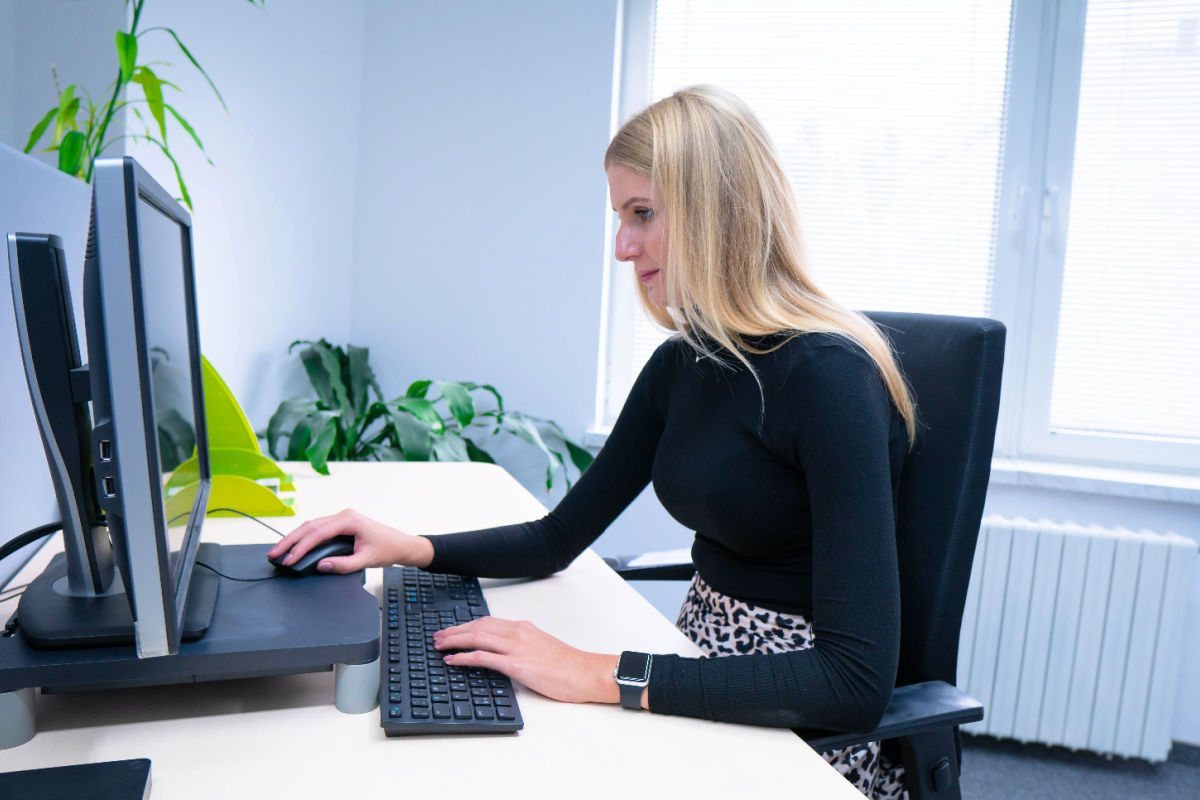
The basics are a straight back and proper sitting at the computer

It doesn’t matter if you’re walking down the street, driving a car, walking up the stairs to your apartment, holding a baby or just sitting at your computer. In all activities we should follow the basic rule straight back.

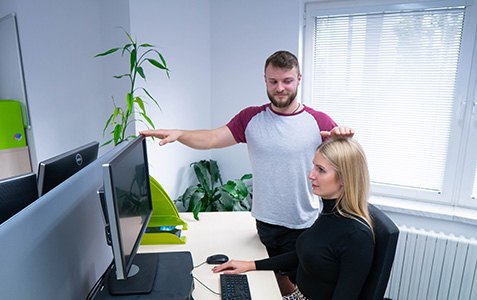
✔️ You can also prevent neck and eye pain by adjusting your monitor correctly.

✔️ The top of the screen should be at the height of your head.

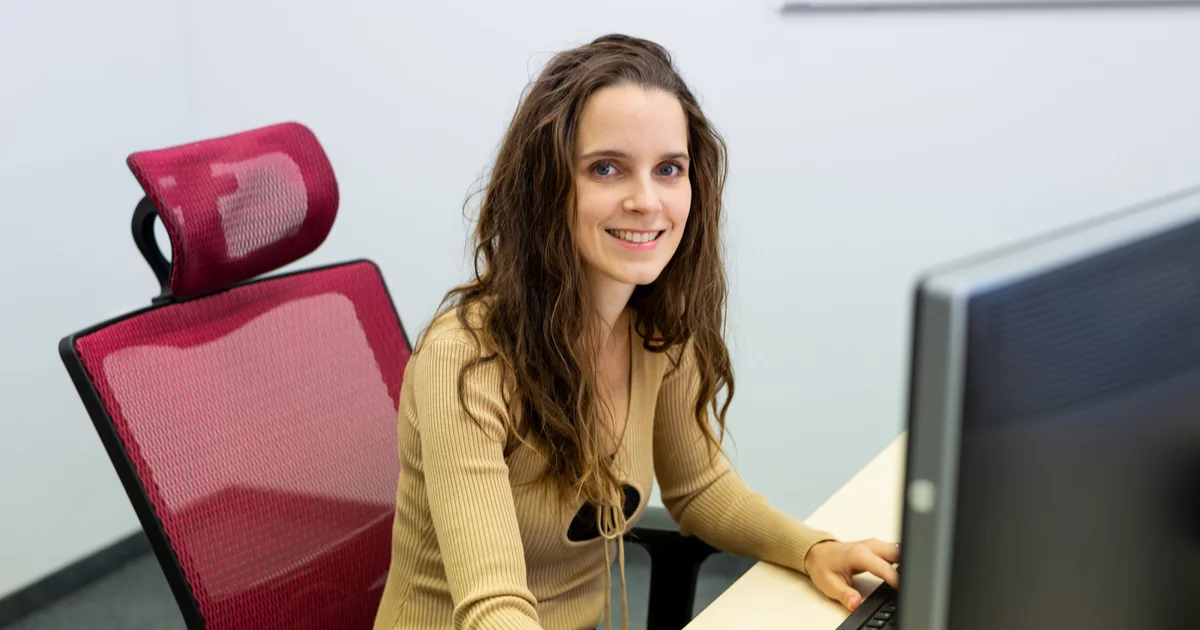
Proper sitting at the computer
Adjusting your desk and monitor will help you avoid pain.

Back and cervical spine exercises

Not only the back, but also the neck, trapezius, forearms or wrists deserve relaxation. They are under the same pressure as our spine. How to do it? When relaxing the spine, we start in a sitting position. We sit with our backs on the edge of the chair so that we feel that we are sitting on the sit bones. We lean our palms on the lower back. The feet are placed full length on the ground below the level of the knees, not standing on tiptoes. “In this position, we bend backwards with our head tilted back as far as we can, hold it for two seconds and then hunch down a little. Repeat the exercise ten times,” experts advise.

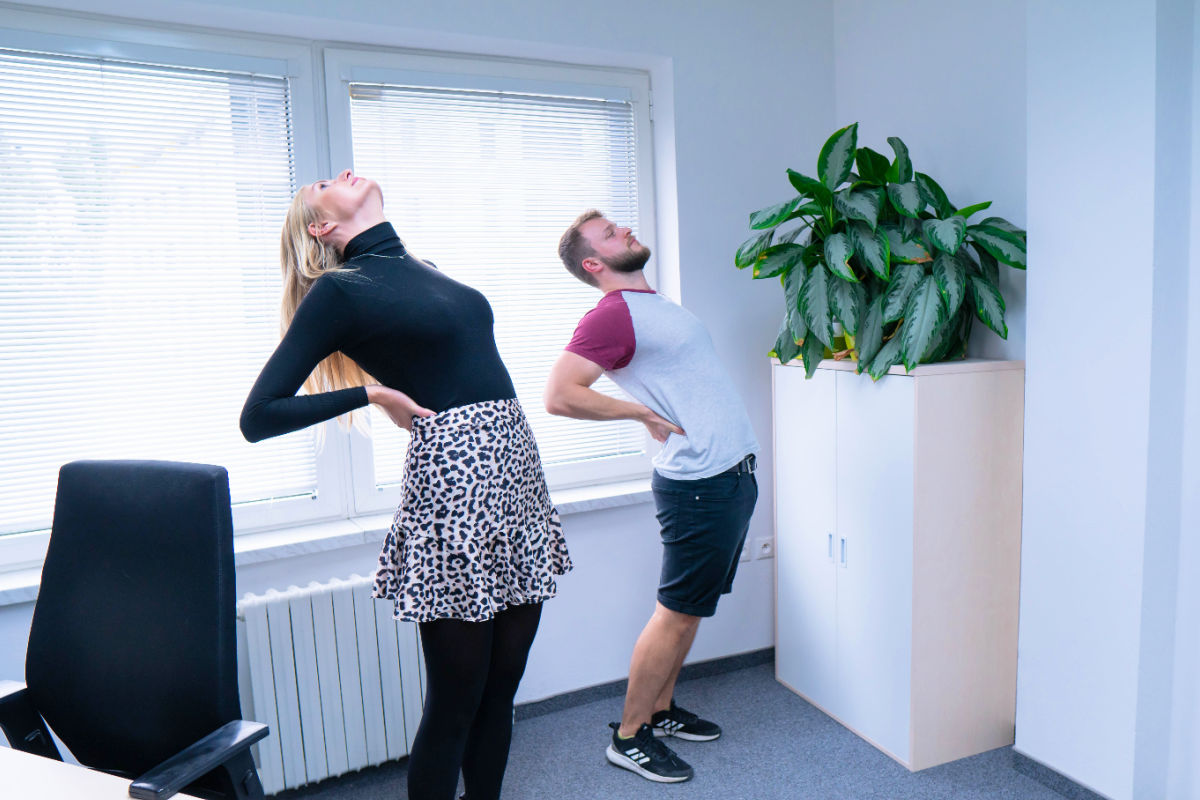
✔️ We do the standing bend with our hands on the waist then slowly bend backwards.

✔️ We breathe in before the movement and breathe out during the movement.

Standing bend
The standing bend is a simple exercise to exercise the back.

There are two methods to exercise the nape. The first is standing, when we lower our shoulders and raise them together with the inhale. Stay in this position for about 20 seconds and slowly with an exhalation lower the shoulders to the starting position. “The important thing is that the release does not last shorter than the tension. Repeat this exercise five times in a row,” say physiotherapists.

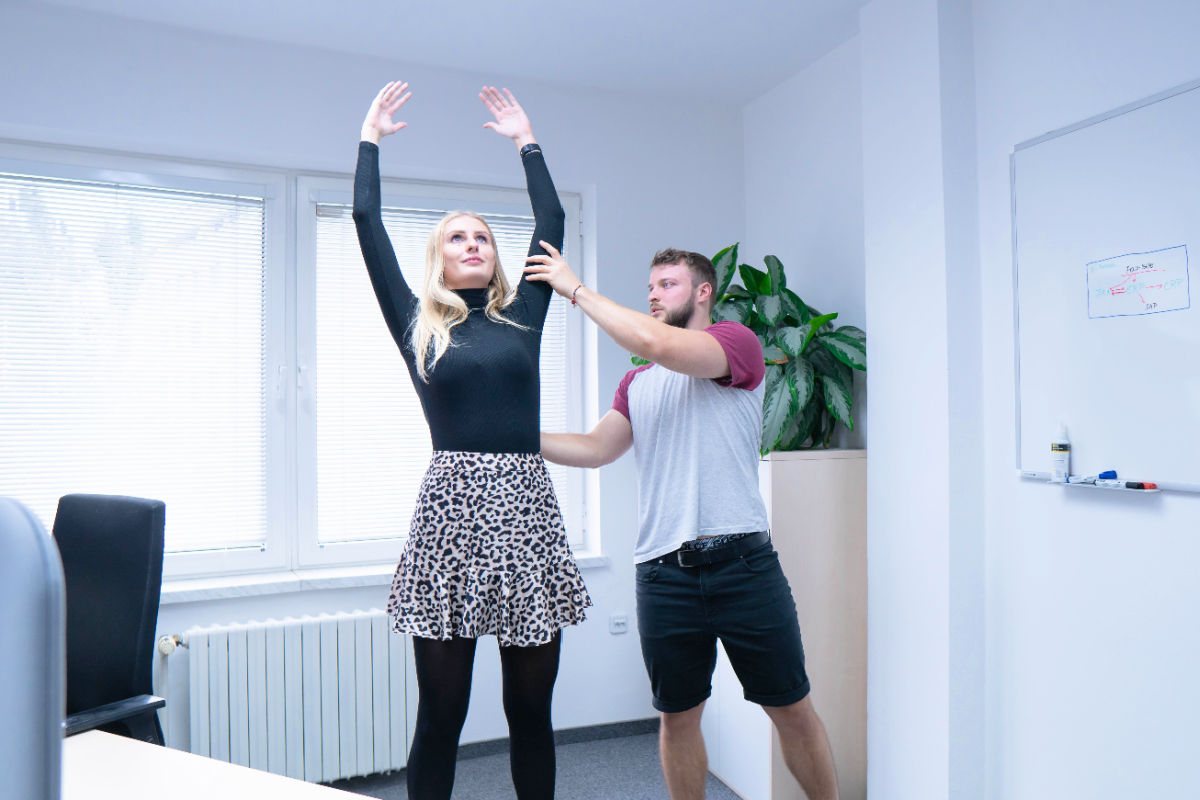
✔️ We can also add our hands to the bend.

✔️ Just repeat the previous exercise, include the arms and if necessary complete the movement by bending over.

Standing bend with arms outstretched
Repeat the bend with outstretched arms several times.

The second method is seated exercises: “We’ll slide one hand under the bottom. Tilt the head to the opposite side until the tension is felt. Place the palm of the other hand on the temple area on the opposite side of the head. With the inhale, press your head slightly into the palm of your hand and hold for 20 seconds. As we exhale, we lower the head again in the direction of the bow deeper to the next point of tension, where we stop.” It is good to repeat the exercises at least five times.

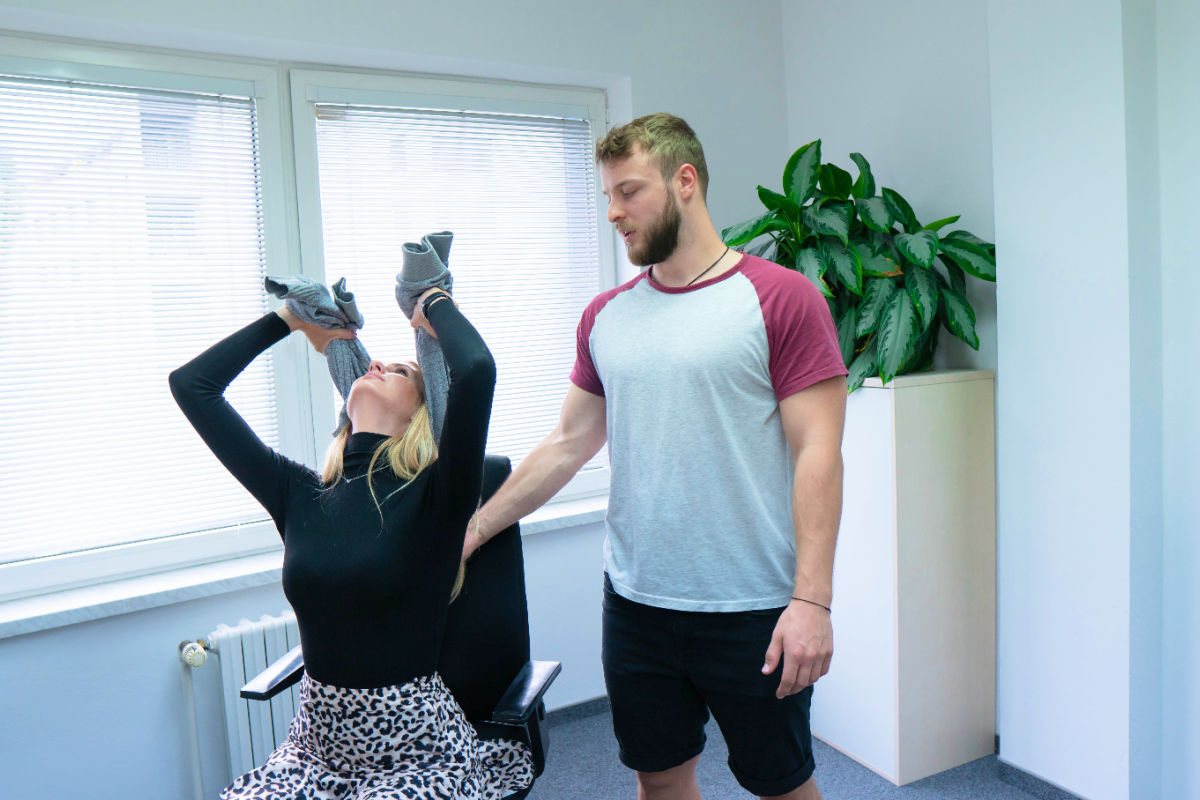
✔️ The neck and chest can also be exercised with the help of a towel.

✔️ Lean your head into it, point your elbows forward and slowly tilt your head back.

✔️ We breathe in before the movement and breathe out during the movement.

Exercising the chest part
Exercise your neck and chest.

Shoulder and arm exercises

Although it doesn’t seem like it, shoulders or arms can also feel tension when you work sedentarily. Improper sitting can even lead to carpal tunnel syndrome. It is therefore important to exercise regularly. We start with the trapezius and end with the wrists. For a simple exercise, it is enough to turn one hand with the open palm down to one side and turn the head to the opposite side. Slowly push your hand down, and when you are in this position, start running your fingers slowly up and down the trapezius. “We apply medium pressure and remember to keep our backs in a stretched position at all times. We can repeat the exercises seven to eight times,” advise the experts from Fitclinic.

✔️ The so-called flexors of the forearm can also suffer from sedentary work.

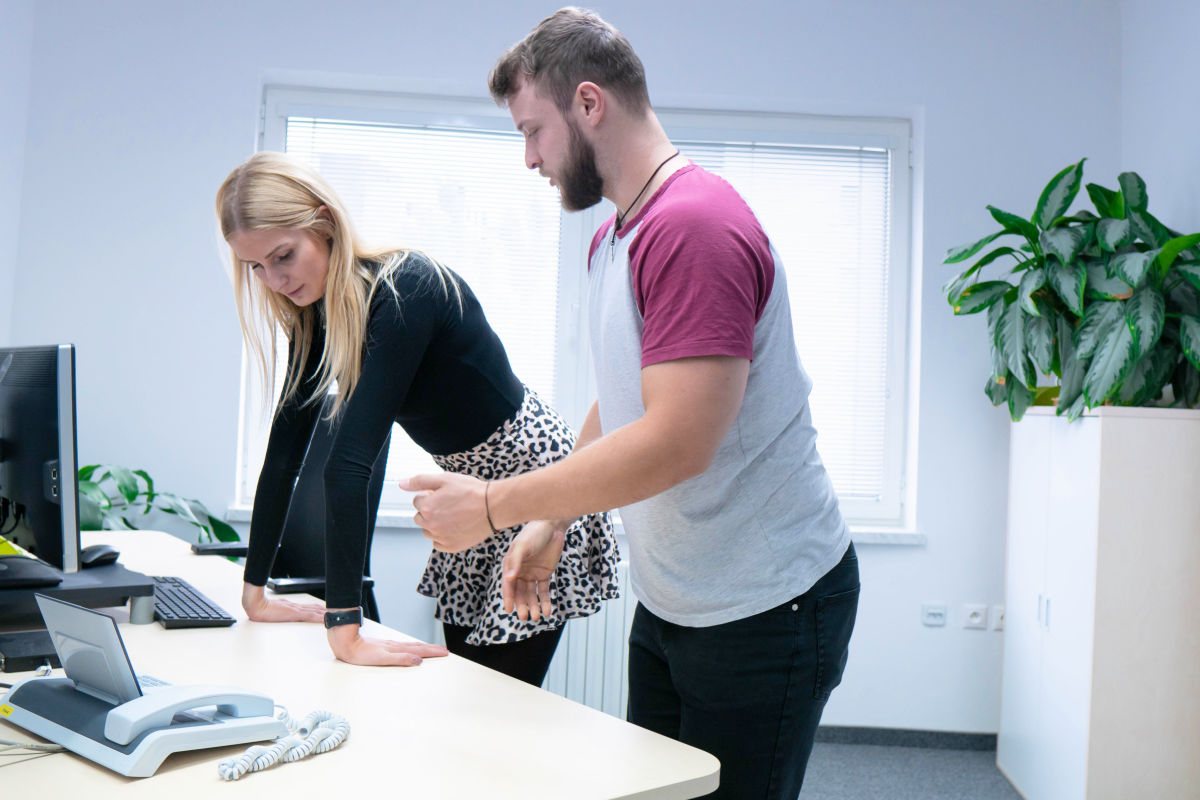
✔️ We will excercise them by leaning on the table with our hands.

Flexor excercises
Flexors also suffer when working with a PC.

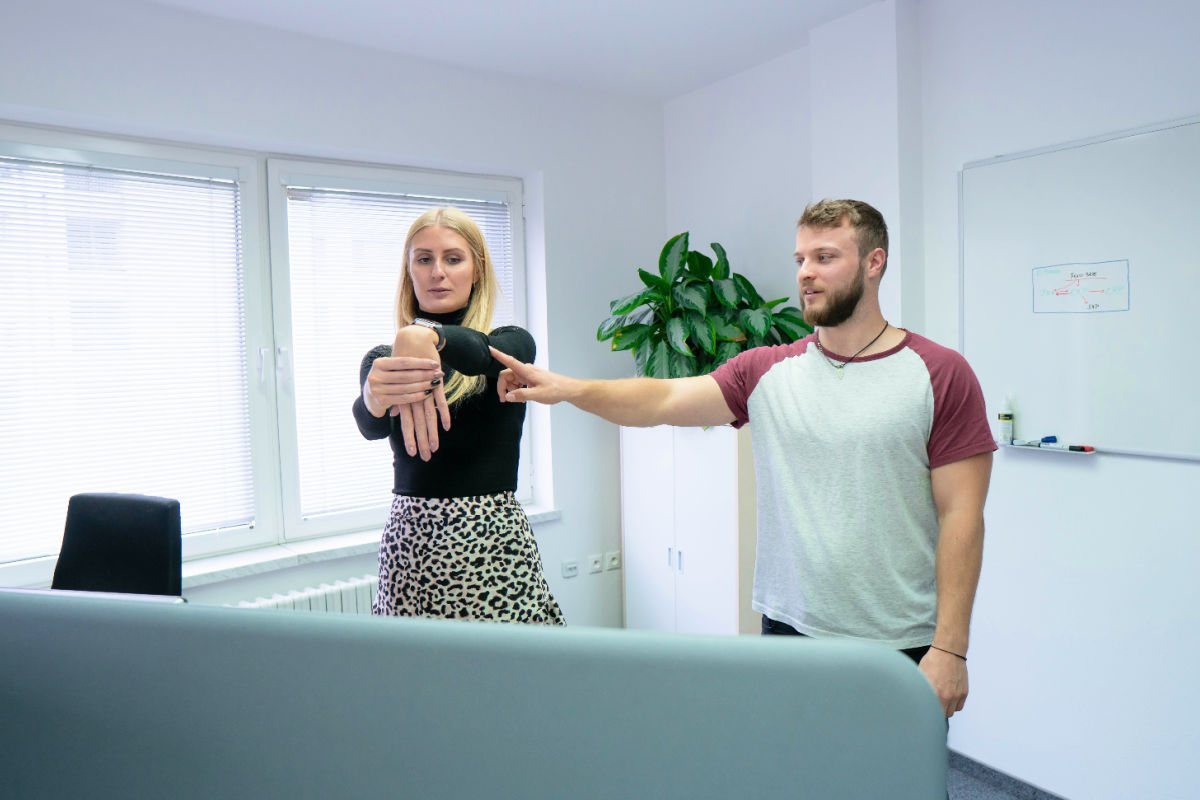
Do the same for the forearm. Extend the left hand in front of you, fingers pointing towards the floor, and use the right hand to increase the extension of the fingers by pressing them towards the body. Then switch hands and try to stay in the position for ten seconds. “In the second part of this exercise, we again extend the left arm, but bend the wrist so that the fingers point towards the sky. With the right hand, increase the angle by pulling the fingers towards the body.” Repeat the same with the other arm, hold for ten seconds and repeat the whole exercise four to five times.

️ We exercise the extensors of the forearm by stretching one hand with the other one while standing.

Exercising extensors
Extensors can also suffer when working with computers.

We should not forget about the wrists either. While standing lean back on the table so that both palms are touching the table, with fingers extended. “The exercise is to slowly push our hands into the table and relax them. We must not forget to keep a straight back here either. The shoulder blades should be pushed backwards and downwards,” physiotherapists explain the correct procedure. Repeat the exercise seven to eight times.

From student job to IT software testing: how Danka became a tester

At msg life Slovakia we are keen on a personal approach to every employee. Not only to make them feel comfortable with us, but above all to give them the opportunity to develop and succeed. Over more than twenty years, we have found that if we give our colleagues the opportunity to try different things and also the space to progress, they not only enjoy their work, but they are really good at it. A great example is my colleague Danka, who had never done software testing before and despite that she got the opportunity to participate in an international project. A student part-time job turned into a career opportunity.

My first work experience with msg life Slovakia was in the summer of 2009, when I took part in the company’s Sommerfest as an animator for children, Danka recalls her beginnings in the company. Although she studied international management and her student part-time jobs were more in the field of gastronomy, accounting or teaching, she decided to look into the world of IT. She joined the Bratislava office in December 2009 as an assistant in the Facility Management team, where she focused mainly on HR, administration, accounting, business travel, intranet management, preparation of corporate events and Office Management. Instead of thinking about how to find a part-time job, she took the opportunity that presented itself.

Fascinated by the IT field

Danka gradually became so interested in working in IT that she decided to focus on Management in Information Systems at the Master’s degree level. “I was gradually finding out from colleagues who does what and IT software testing seemed rightly linked to what I was interested in and what I could meet the criteria for. I followed a similar path in my choice of subjects at school. I was aware that I was interested in software development itself and how it works,” adds Danka. She was also able to get to know the IT world better thanks to her flexible working hours, as she needed time to study full-time at university. However, a part-time job in IT soon opened up other career opportunities for her.

It didn’t take long for the ambitious student to get the opportunity to participate in a foreign project. “In the last semester of my studies I got my first tester job opportunity. It was an American project and I really enjoyed the work, especially because of the use of English – I rarely used languages in Facility Management.” Danka describes her first experience with testing. After her studies, our company msg life approached Danka with a job offer and she afterwards started training for the position of regression tester, where she stayed for about three years. She has completed various basic training courses and Danka is still training in software testing today.

Danka worked her way up to the position of tester
Danka enjoys working as a tester where she is constantly learning something new.

Space for continuous learning

“IT software tester jobs are so broad that it’s ideal to continually educate yourself on many aspects. Testing, application development, orientation in the insurance industry or specific client requirements, but also working with people, it is all related and the more one learns, the better one sees the connections,” says IT tester Danka. According to her words, there is still room for education and improvement in this sphere. Whether it is languages, computer skills, working with people, time management, eliminating and managing stressful situations or realizing that every problem is solvable. “You take the theory from professional courses, sometimes you remember it in practice, you can apply something, but only thanks to gradual experience and colleagues you get one step further,” she adds. It was her colleagues who were one of the main reasons why Danka decided to work at msg life Slovakia.

I have always had very smart, friendly and knowledgeable colleagues at msg life. We have grown from two to six very diverse and interesting people in a close working team. Apart from my husband, I also met long-time friends here. I remember that from the beginning everyone in the company seemed very nice and friendly, there was a family atmosphere,” says Danka. Very quickly she even got along with her team from abroad: “I enjoyed meeting my colleagues in person, with whom I spent hours on the phone on a daily basis. I remember my great surprise when I absolutely could not match these people to the photographs I knew them from or to the image I had formed of them. But at the same time, they were familiar to me by voice.”

At work as at home

What Danka likes most about IT software testing is the feeling of a job well done. In addition, she likes to train her colleagues because she finds it fulfilling when she sees that they understand the assignment and enjoy the work as much as she does. At msg life Slovakia, she is satisfied thanks to the company’s approach to employees.

“Thanks to msg, I believe in employers who care about employee satisfaction in all aspects. My colleagues at msg care about the most pleasant working and friendly environment and benefits. And I am not talking about the management’s personal or even family approach to employees’ requests or problems. I felt comfortable from the beginning and over time I felt like at home. I am proud to work for a company that takes great care of its employees. At first, I was very pleasantly surprised that I was always asked if I was interested in a particular task,” says Danka.

Benefits of working at msg life Slovakia

Danka is currently on maternity leave and therefore looks at her work in an IT company from a different angle. “As a mother of three children, I am now aware of the benefits of flexible working hours, part-time work or even a family atmosphere in a company that doesn’t discourage the occasional visit from children in its premises. In addition, msg gives me a sense of job stability, which as a mother I also value highly. Returning to the company after maternity leave is now a big challenge for me, but I am also looking forward to new challenges. The work here has always been diverse and I have enjoyed it very much,” adds Danka.

If you are interested in the story of our Java tester, feel free to check out our job offers. Maybe a job among them will appeal to you, which will make you reconsider your current job or change your profession, as Danka did. Do not hesitate to compare the requirements of the tester vs developer offer and if you are interested, apply directly for the position of programmer. IT jobs are always very well paid and it’s easy to find a vacancy. Many of the positions are currently in partial Home Office or Full Remote mode.

msgNews: reconstruction, team events, lunches together and Full Remote work

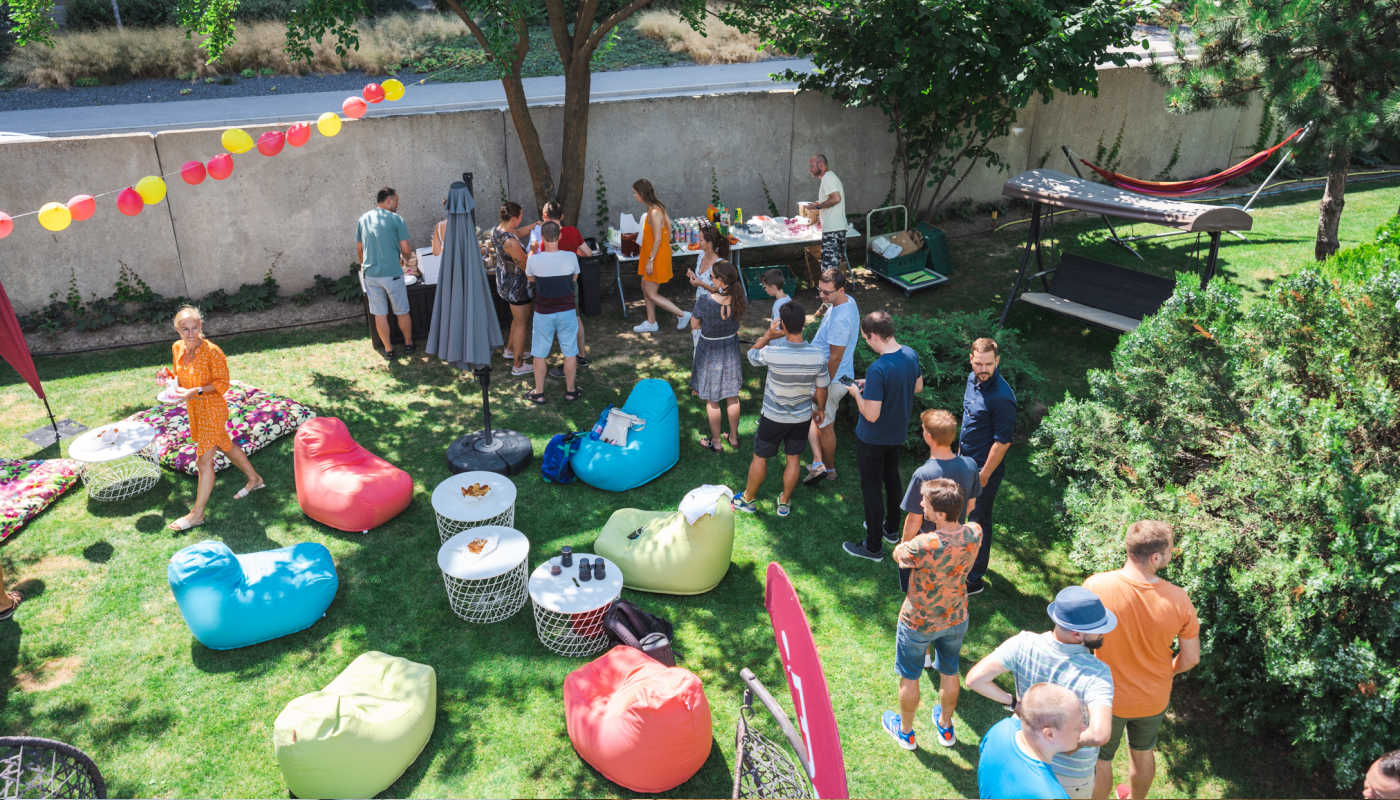
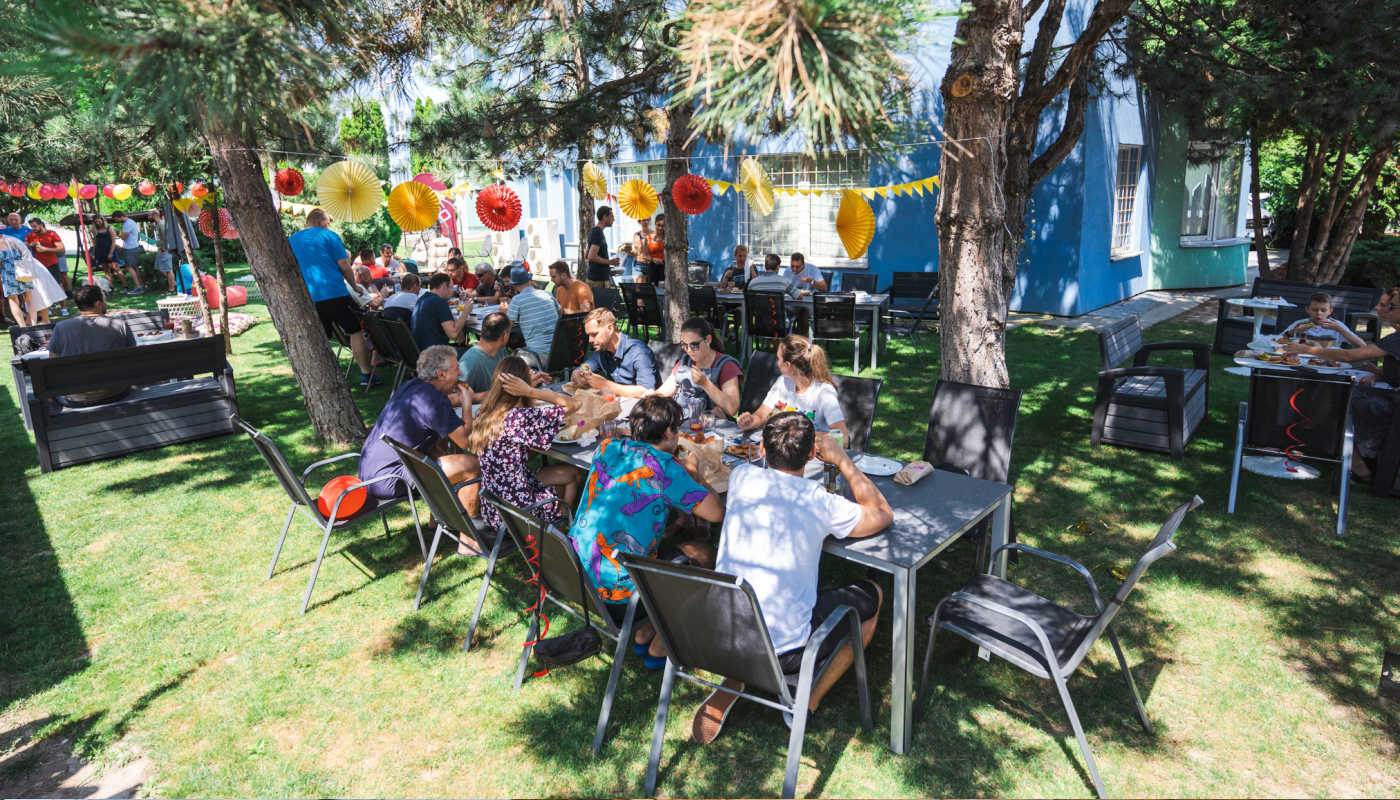
Read in our msgNews what challenges the summer of 2021 has brought us and what changes have taken place at msg life Slovakia. Summer is usually a busy time for us, but this summer was different. Due to the pandemic, we still continued to work from home and only met occasionally. Many things have changed in that time, we have renovated the company premises and changed the way we do interviews. For more than a year, we were more or less only in virtual contact with our colleagues, so it was time to get together again and boost our team spirit. We organised joint themed lunches and various team events. Read what has changed for us and what challenges the summer of 2021 has brought us.

Despite the fact that we were in a more favourable pandemic situation during the hot summer months, we decided to continue working from home. “Our staff have had the opportunity to continue to work in a Home Office format. Although the situation has improved somewhat, we didn’t want to underestimate anything and put our colleagues at risk. In addition, it turned out that we can work effectively as a team also remotely,” says Dominika, HR Recruiter. This was one of the reasons why the company decided to rethink the way they work. At the beginning of September, msg life Slovakia introduced a more flexible work schedule.

Hybrid and Full Remote mode

We currently have Home Office in place in our company, reducing the risk of virus transmission. However, the office premises remain open to all, and employees can visit our offices at any time if they need to. Our company has also introduced Full Remote mode for some positions, which is designed especially for employees travelling to work from a longer distance.

Hybrid mode joined by Full Remote mode
With Hybrid mode and Full Remote mode, our remote employees do not have to travel long hours to work.

Renovation of the premises in Bratislava

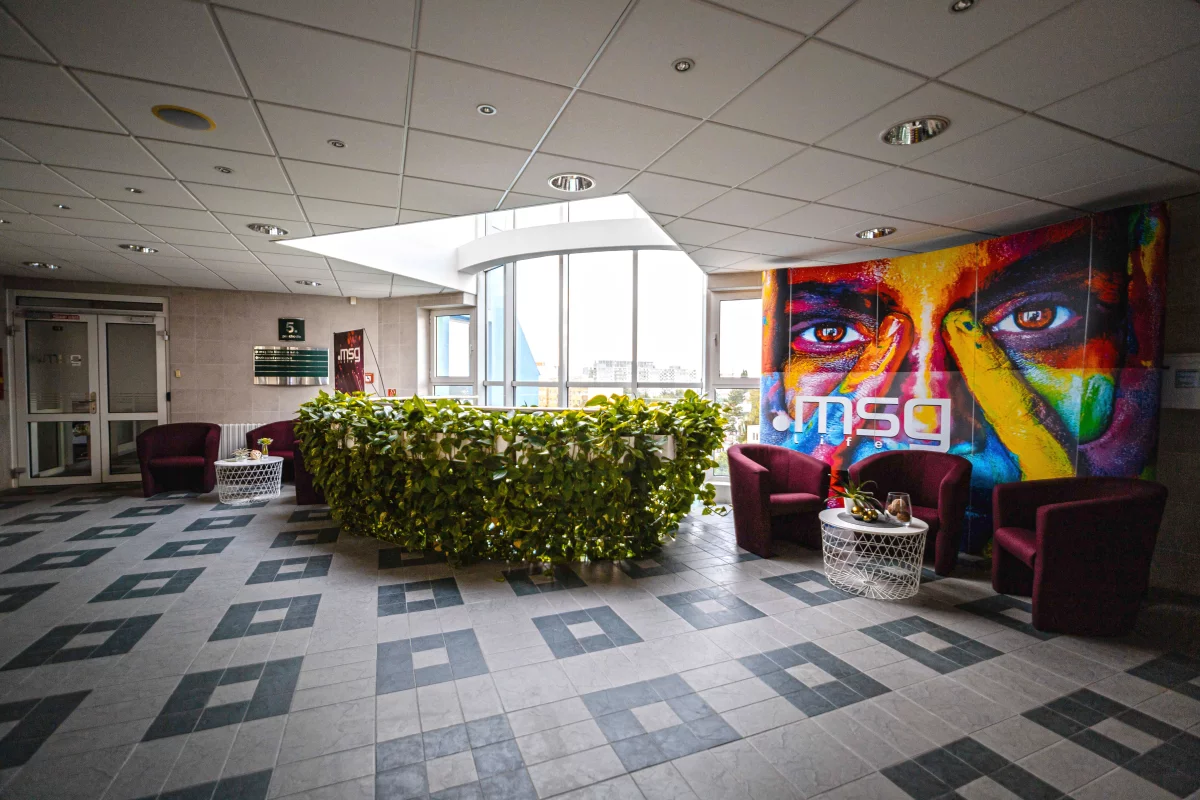
Working from home also brought a small positive – we started renovating the premises of the Bratislava office. “In the building on Hraničná Street, we have been renovating the company premises for the last few months – we have renewed the corridors on all five floors, modernised the toilets and showers, and we are also planning to renew the office furniture so that employees feel more comfortable when they return to the office,” says Zuzka, Office Manager.

A view of the renovation of the msg-life office in Bratislava
In our Bratislava office we renovated the meeting room, corridors, toilets and showers.

New Full Remote jobs and benefits

msg life Slovakia is constantly growing, we currently have more than twenty open job positions. A new feature is the possibility to work in Full Remote mode. These are mainly positions in the field of Java development or insurance. Interviews continue to take place online, just apply via a short form. Although the new employees will work mainly from home, they will not be deprived of the rich benefits program. “The company gym, massage, language courses and relaxation zone are still available to all those who are interested,” adds Zuzka.

Team events and joint themed lunches

During the summer months we held a series of company events and met with colleagues who work in Hybrid mode. “Our colleagues had the opportunity to attend various events such as Health Week. Especially for our female colleagues, we organized a Ladies Week, during which they could try yoga, meditation, painting or massage classes,” says Zuzka. Our adrenaline was raised by white water rafting, wakeboarding and action shootouts during laser tag.

Shot of msg-life colleagues painting during ladies week
During Ladies Week, colleagues could use their creativity in a painting lesson.

There was a lot of interest in the joint events from employees and many of them had positive feedback, so we decided to organize some events during the autumn as well. “The adrenaline lovers also had their chance in October, when we took part in go-kart and laser tag races. Colleagues who currently work mainly independently suddenly had to work together as a team, and this made their relationships even stronger,” Zuzka adds.

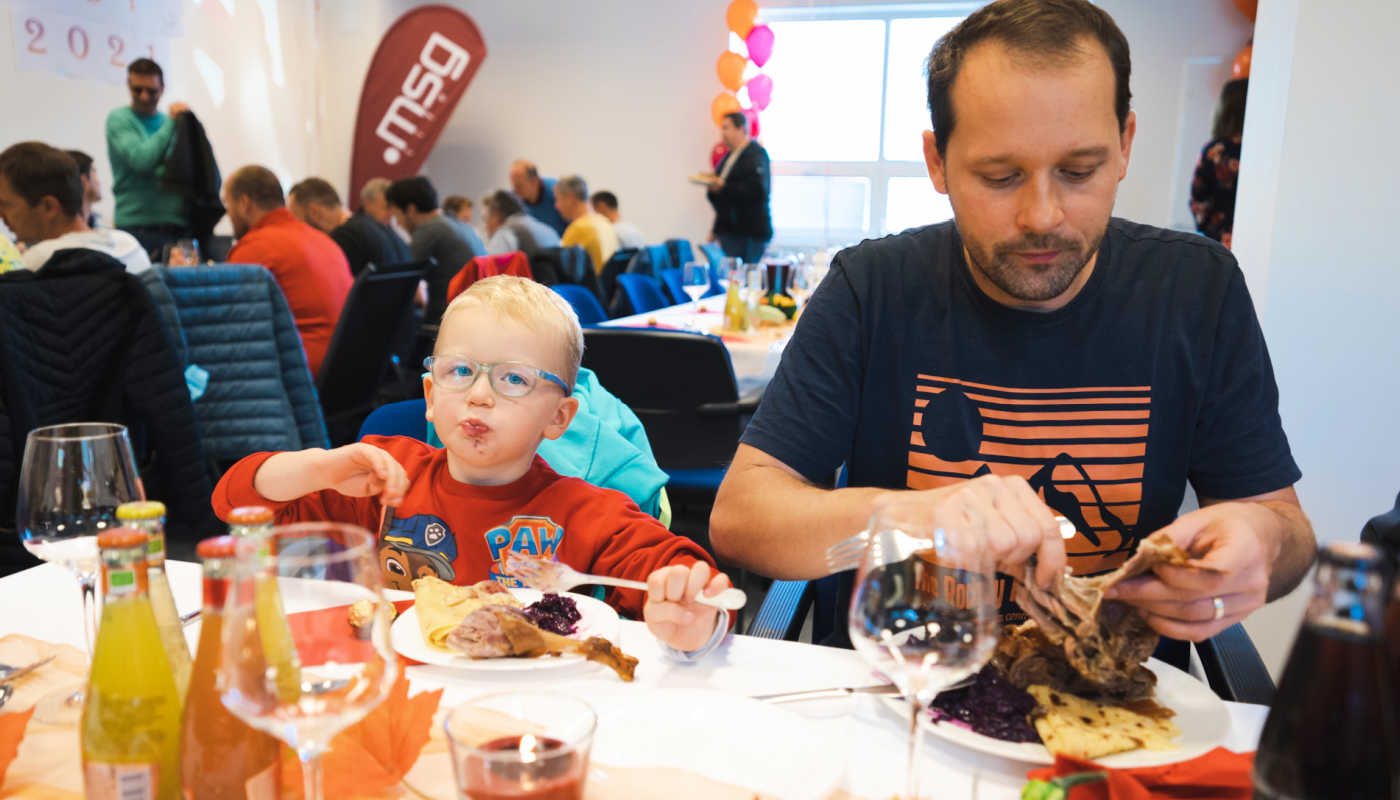
We organized themed group lunches in our relaxation area to rebuild workplace relationships and prepare colleagues for a partial return to the office. We enjoyed an American lunch full of burgers, an Asian lunch with mountains of sushi, and an Italian lunch where we had fantastic pizza. To make the shared lunches even more interesting, we also introduced vegan dishes, giving colleagues the chance to try a healthier alternative to some of their favorite meals. Paradoxically, the real star of the event turned out to be the vegan donuts.

In autumn, after a longer time, we met again and during the festive season we enjoyed fresh and crispy roast goose, of course in OTP mode. At many of our events, our youngest participants were also present, which made us very happy.

New job opportunities for you too

In addition to interesting corporate events, we have also added new attractive job offers. For example, you can get a job in testing or software development, in mathematics or software migration and project management. Don’t hesitate to check out all our jobs we offer in both Home Office and Full Remote mode with great benefits. If you’d like to learn more about each position, we’ve prepared job descriptions. Don’t forget to follow our msg News, which serves as a newsletter. You can find out what’s happening and other news in the next issue of msg News.

See some photos from our events