



The classic CV template shows you what the document looks like and what it should contain. It will also show you how it differs from a modern one, so you can find out which alternative is more suitable for you. We’ve put together basic information on each type of CV, along with samples and practical advice that will help you when you’re looking for a new job.
What is a classic CV?
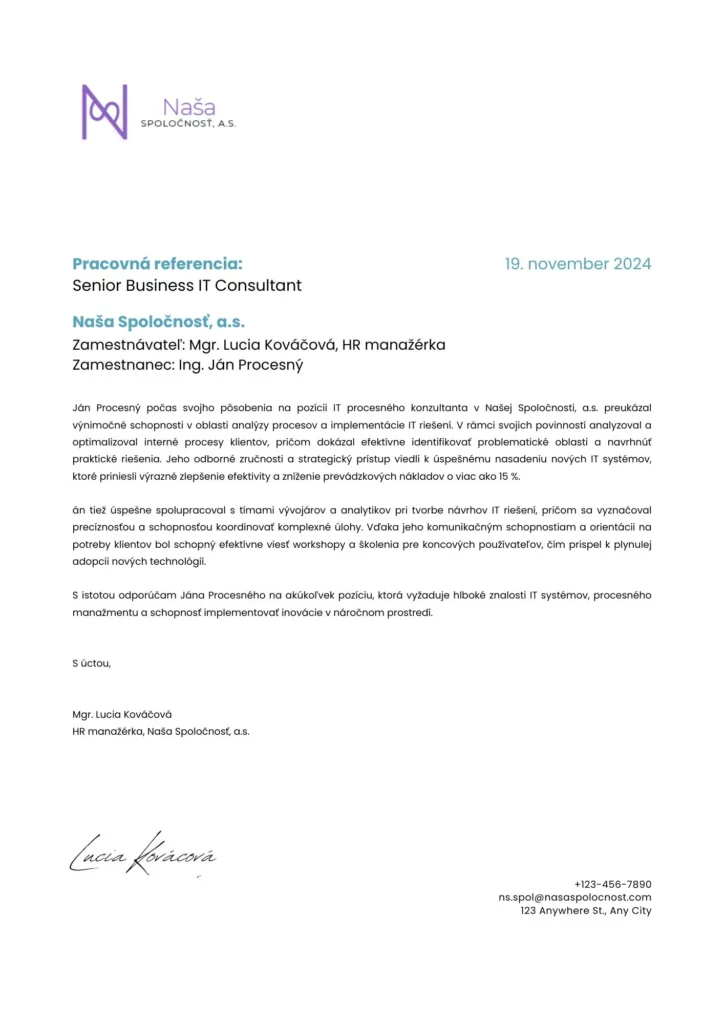
The classic CV is the most common type of document you will come across. It is characterised by clarity, formality and simplicity. It only briefly lists information about you and your experience, rarely going into detail. Therefore, it is often accompanied by a cover or motivation letter in which you can elaborate on your qualities and experience.
Other features of the classic CV include its minimalist design. It is usually a white document with black font. You can use italics or bold to highlight certain sections or information. Alternatively, you can enlarge some words, but you shouldn’t use fancy fonts or different colours.
Sample of a classic CV
In order to make the classic CV easy to read and to prevent the information from blending together, it is divided into several basic parts:
- Personal details – this includes your name, surname, address, phone number and email so that the prospective employer knows who the CV belongs to and can contact you if they are interested. Check this information carefully before sending the document.
- Work experience – this section is for you to list all your previous jobs, in reverse chronological order. This means that you list your most recent job first. Each work experience should include the name of the company that employed you, your position, the length of time you were employed, and a brief description of your main responsibilities and functions. Remember that a traditional resume is meant to be rather brief, so include information in bullet points, not in long sentences and paragraphs. If you want to say more about the position, use a cover letter or mention the information at the interview.
- Education – as well as work experience, education is listed in reverse chronological order. If you have a college degree, you list that first, followed by high school. Add the years of study and the degree earned to each item.
- Skills – this section focuses on technical or personal skills such as computer skills, foreign languages, team leadership skills, etc. Only include skills that are relevant to the job and that you could use on your CV.
- Hobbies and interests – this is an optional section that will give a potential employer a better insight into your personality. For example, you can list sporting activities, creative activities, volunteering, additional education (courses, workshops) or travel.
- Other sections – if you need to, you can add other sections to your CV such as references, awards, certificates, etc. However, the more information you provide to a potential employer the better, but all information must be relevant. Avoid unnecessary details. Keep your CV short and to the point rather than full of irrelevant details.

As most CVs are now electronic, you can add links to your website or LinkedIn profile where potential employers can find more information. For tips on how to fill out your LinkedIn profile correctly, see our article What is a LinkedIn profile?
Sample of a classic CV
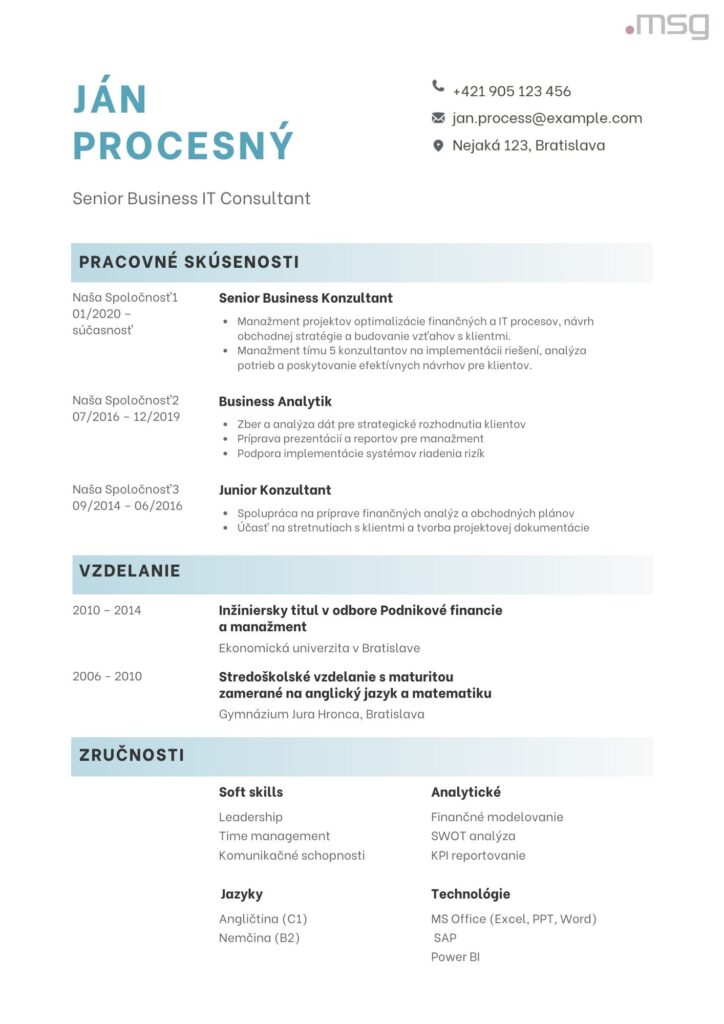
Advantages and disadvantages of a classic CV
The classic CV has several advantages and disadvantages that you should know about before you decide to use it.
Advantages of a classic CV
- Clarity and simplicity – a classic CV is clear, making it very easy for a potential employer to find key information such as skills, work experience and so on.
- Versatility – you can use this type of CV in almost any industry. Plus, if you’re sending it to multiple companies, it’s easy to edit because the information is listed in bullet points, not long paragraphs.
- Easy to create – unlike a modern CV, you’ll have a classic one ready very quickly. However, take your time when writing it out and make sure all the information is correct.
- Formality and professionalism – a classic CV looks professional, so it will represent you well.
Disadvantages of a classic CV
- Lack of creativity – if you’re a creative person, the classic CV can limit you because it’s so simple and concise.
- Less space for details – a traditional CV usually only includes the most important information. If you want to provide more detail, you’ll also need to attach a cover letter or send your portfolio.
When to choose a classic CV?
The classic type of CV should be chosen especially when:
- you pride yourself on professionalism and formality,
- you’re applying for a job in a traditional and conservative sector such as law, banking, government or academia,
- you also send a cover letter or portfolio where the potential employer can find additional information,
- you need to create a CV quickly and easily.
What is a modern CV?
A modern CV is a creative type of document that often uses a variety of graphic elements that can easily set you apart from other applicants. Another advantage of a modern CV is that, unlike a traditional CV, it contains detailed information about you, your experience, skills and hobbies, so there’s often no need to attach a cover letter or other supporting documents.
This type of CV is most often used in dynamic and creative fields where you need to stand out on first contact. It’s more difficult to prepare, but if you put the effort in, it can help you land your dream position.
Although modern CVs allow for creativity, don’t go overboard. A document that is overly complicated, colourful or cluttered may not make a good impression on a potential employer.
Sample of a modern CV
A modern CV should have the same sections as a classic CV, namely:
- personal data,
- work experience,
- Education,
- skills and hobbies,
- Interests,
- other optional sections.
Don’t be be afraid to go in-depth when filling in your details. Write longer sentences and paragraphs, introduce projects you’ve worked on, courses you’ve taken, etc. Avoid being brief and short bullet points of information.
Sample of a modern CV
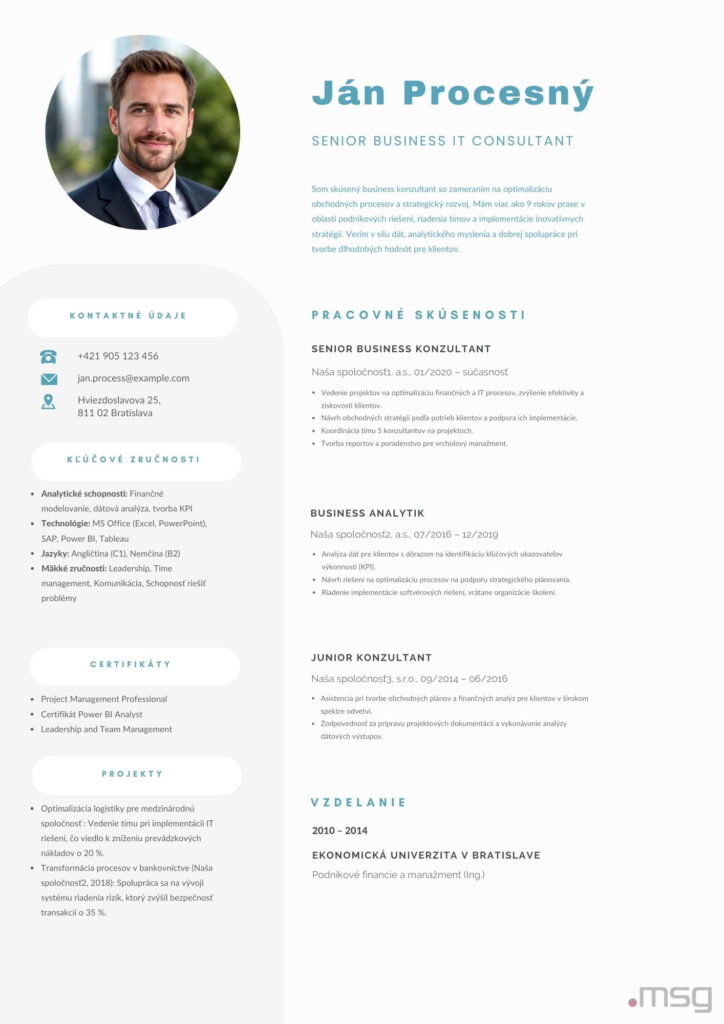
Advantages and disadvantages of the modern CV
Even a modern CV has its advantages and disadvantages:
Benefits of a modern CV
- Creative and visually appealing design – a modern CV uses colours, graphs and other visual elements that can catch the employer’s eye and increase your chances of success.
- Detailed information – you can include much more information in a modern CV than in a traditional one, which increases your chances of landing your dream job. There’s also the advantage that you often don’t need to attach a cover letter to a detailed CV.
- Differentiation – you can customise your modern CV with different fonts and visuals to help you stand out from the crowd.
- Flexibility of format – you can customize and organize the individual sections of your CV exactly as you like. They are not fixed as in a traditional CV.
Disadvantages of the modern CV
- Less clarity – by being full of information, a CV can be less clear than a traditional CV. Therefore, make sure that the different sections are properly separated, for example by a heading in a larger or bold font.
- Requires more time to prepare – it takes a lot of time to develop a modern CV. Set aside two or three hours, think about how it should look and write down all the necessary details.
When is a modern CV suitable?
A modern CV is suitable when:
- you’re applying for a job in a creative industry such as marketing, design or the arts,
- you want to impress and stand out,
- you want to include details of your skills and experience on your CV.
Tips when choosing a CV
Once you have an idea of what a classic and modern CV looks like, you can move on to choosing one and then creating it. If you still don’t know which is best for you, answer the following questions:
- What industry do you work in? If it’s marketing, art, fashion or advertising, a modern resume is the best choice. On the other hand, if you work in finance, banking or government, opt for a formal, or classic, CV.
- What type of CV does the employer require? In some job adverts, you may find information about what kind of CV the employer requires. This will tell you whether a traditional or modern CV is more appropriate.
- How do you want to present yourself? If you want to give the employer as much information as possible right from the start, choose the modern type. On the other hand, if you want to reveal more about yourself in a cover letter or interview, choose a brief, formal CV.
- Are you sending just a CV or also a cover letter or portfolio? If you’re just sending a CV, the modern type is usually better because it contains more information. If you are also attaching a cover letter or portfolio, keep the CV short so that the information is not unnecessarily repetitive.
More practical advice on how to write a CV
Follow these tips when creating your CV:
- The information on your CV must be accurate and truthful. Do not make anything up. Any lies will be exposed later and may cause you problems.
- Be brief and to the point. Even a modern CV, which is more detailed than a traditional one, should not be 4 or 5 pages long.
- Use the same style and formatting. Don’t change the font type or size to avoid chaos in the document.
- You can add links to your portfolio or social networks such as LinkedIn to your online CV.
- When writing, focus on the skills that are relevant to the position.
- Avoid giving personal information that is not relevant. Focus primarily on skills and experience.
A classic and modern CV template to make your job search easier
Writing and sending out CVs is time-consuming. If you don’t want to start from scratch, try pre-made templates on the internet. The classic CV template is simple and can be completed in a few minutes. A modern CV template , on the other hand, gives you some idea of what it might look like, but doesn’t limit you in any way. It’s up to you how you customize it. Use our practical tips to impress your potential employer on first contact.








 4. McAfee Total Protection McAfee Total Protection security software and protection package provides protection from the latest spyware, malware and ransomware threats not only for you, but also for your family, ensuring maximum protection for your privacy and identity. It also protects your computer and personal data from attacks by hackers and cybercriminals. Antivirus McAfee is highly regarded for its ability to optimize your computer’s performance – automatically blocking videos from running on websites and minimizing bandwidth usage. You’ll surely appreciate that McAfee Total Protection is compatible with Windows, Mac OS, iOS and Android, meaning you can easily secure all the devices in your home with one software. McAfee provides secure web browsing, home network security with a firewall, online support with security experts, secure storage and password management. It offers a license for 3 devices for 12 months. 5. Avast Ultimate Avast Ultimate Antivirus includes every product you need to take care of your devices, all in one convenient package. Avast is one of the most reliable antiviruses, but puts more strain on device performance than its competitors. There’s also a free version that offers you protection from viruses, malware, ransomware attacks, as well as WiFi network protection and network device monitoring. The paid version provides powerful real-time protection against viruses, malware, ransomware and other threats on all devices, Avast AntiTrack Premium helps users protect their personal data from online tracking and provides enhanced anonymity when browsing the web. It provides a protected mode for online banking and shopping. It also includes a built-in Firewall and anti-spam filtering to protect your computer and your email inbox from unwanted content and unauthorized access. The following products are part of the license: